Labels
In the webshop, there are predefined instructional texts that are not specific to products or content.
These texts are available in Danish and English translations. If you want to modify the translations or include additional languages, please follow below steps.
Warning
This applies for webshops running version 6.0.32 or higher.
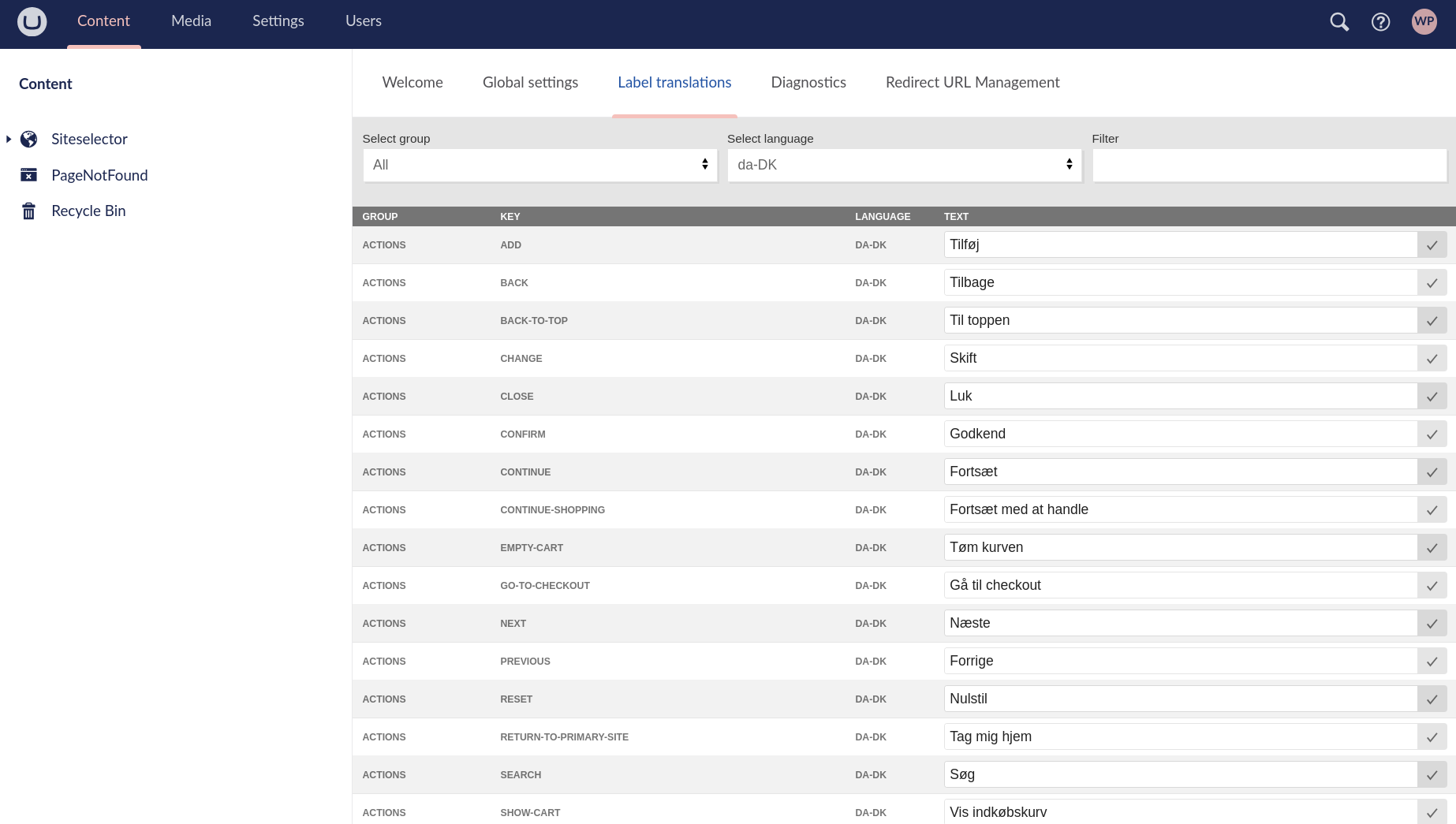
If you're running 6.0.32 or newer then label translations are located in Umbraco under "Content" -> "Label translations"
Warning
For webshops running 6.0.32 or higher, Label translations are located in Umbraco as shown above.
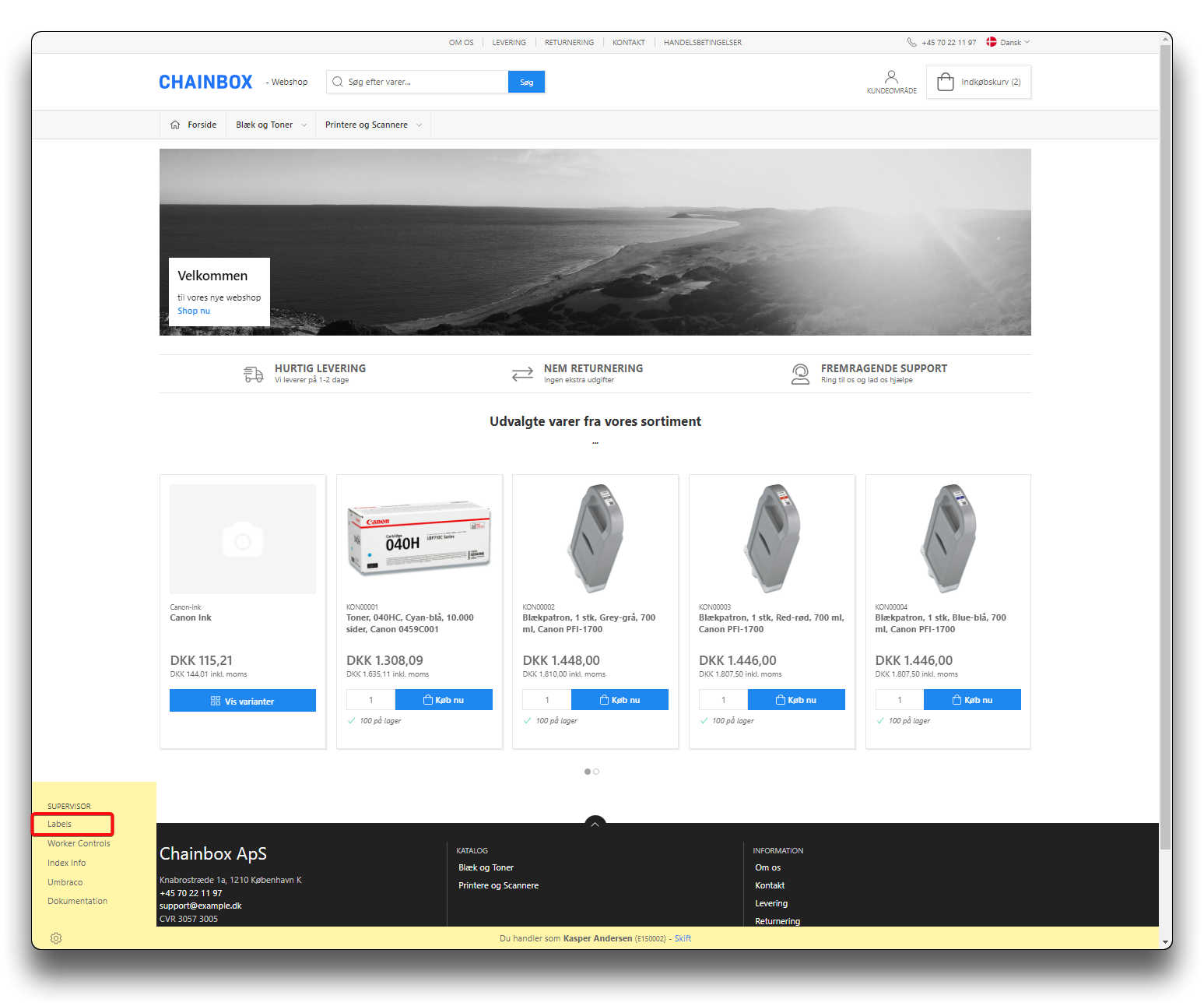
Choosing labels from settings
You can find the required instructional texts by either selecting a specific group or by entering a search word in the filter.
.png)
Searching labes by Group, all languages
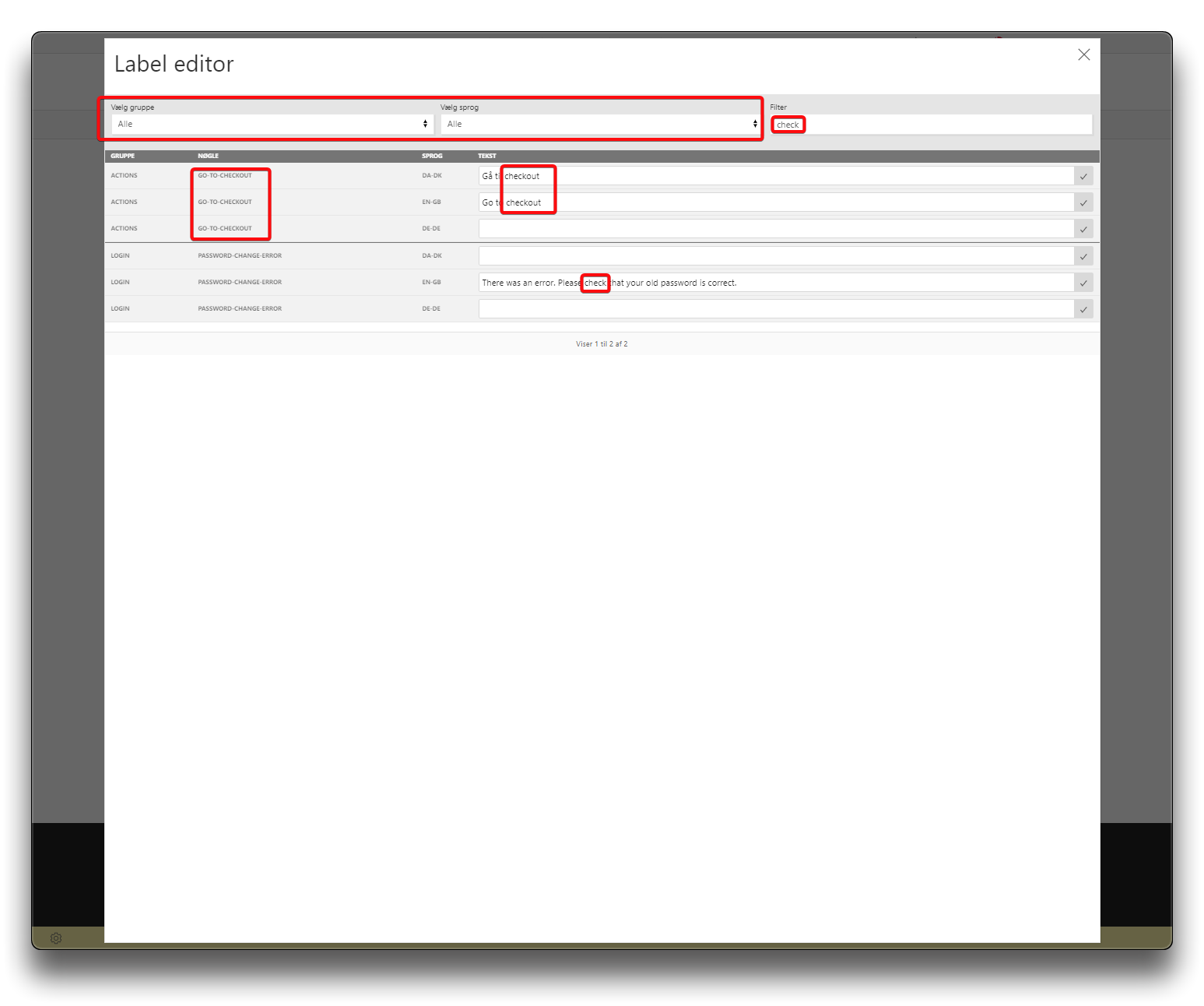
Search result
Warning
Please note, if you have added an additional language node to you webshop, you will need to activate all available pages on the shop before the translations will appear in labels. This can be done by logging into the webshop as a user, and navigate through all pages, including the customer area and the check-out flow.