Trustpilot widget
Info
Note: To use this option, a Trustpilot service needs to exist. Please see below link for more information
Standalone component
Click "Add content" in your selected column. Choose the "Trustpilot widget" icon
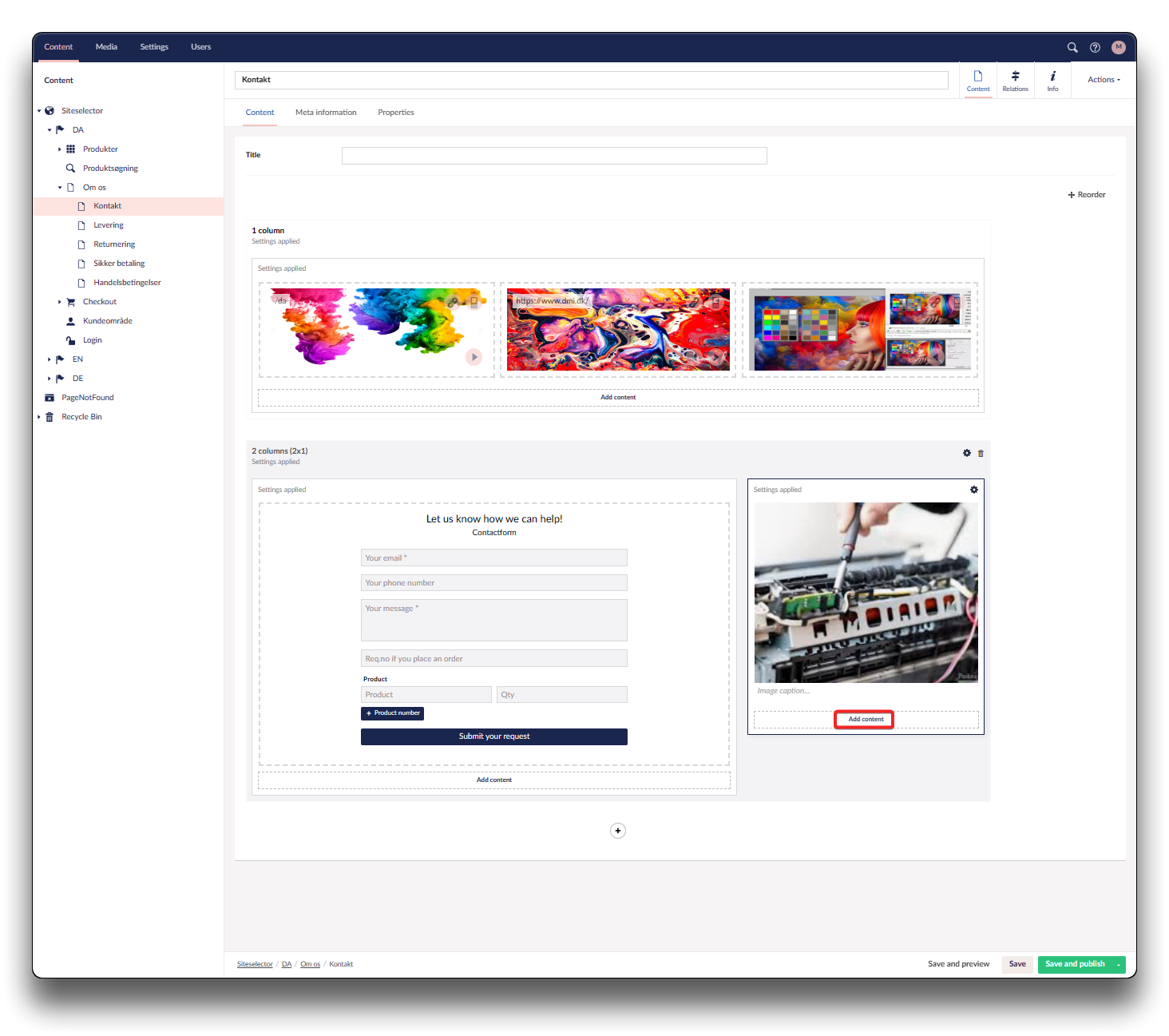
Add Trustpilot widget - step 1
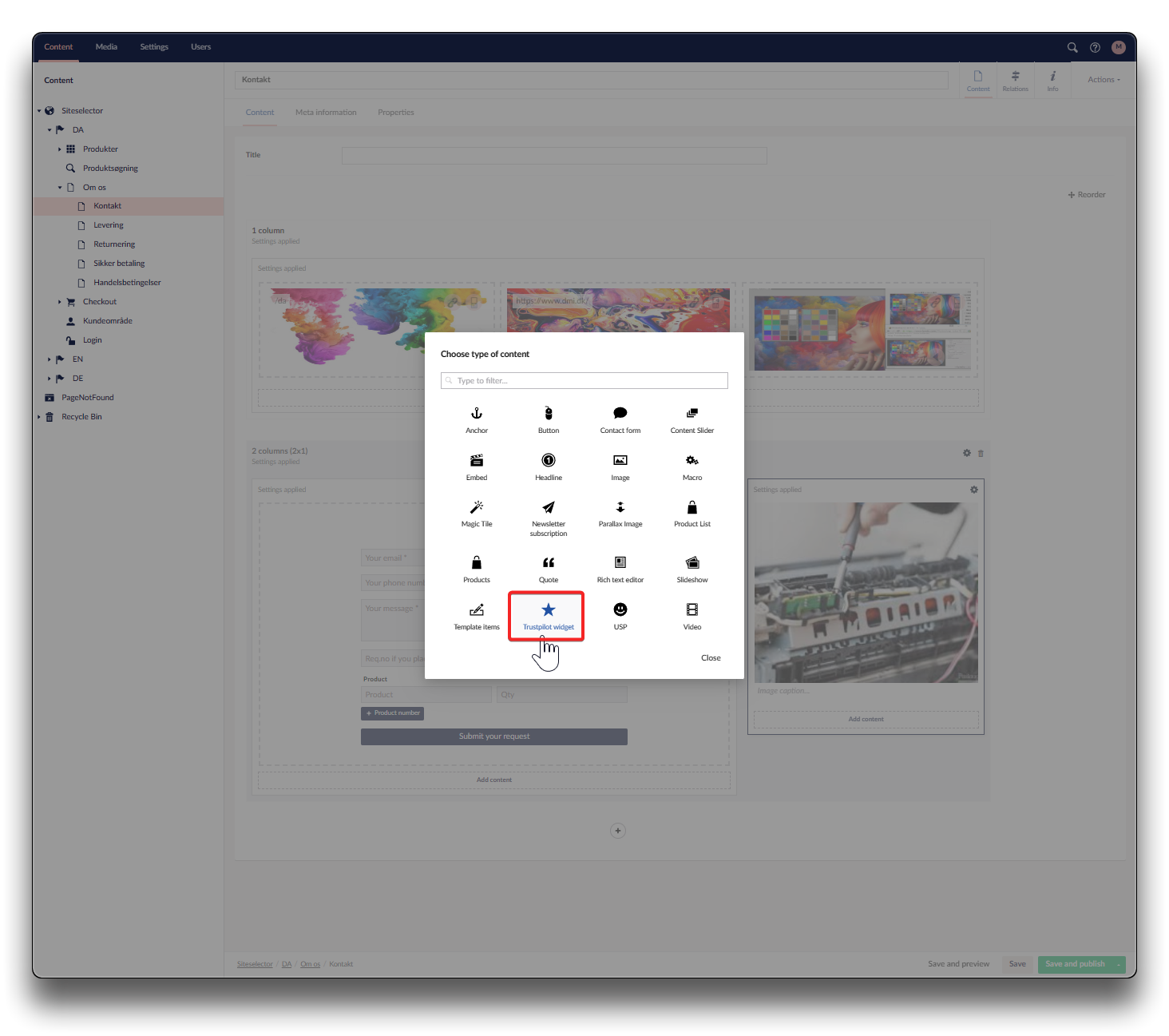
Add Trustpilot widget - step 2
Click "Please setup widget". Choose type and Theme for your widget. "Submit"
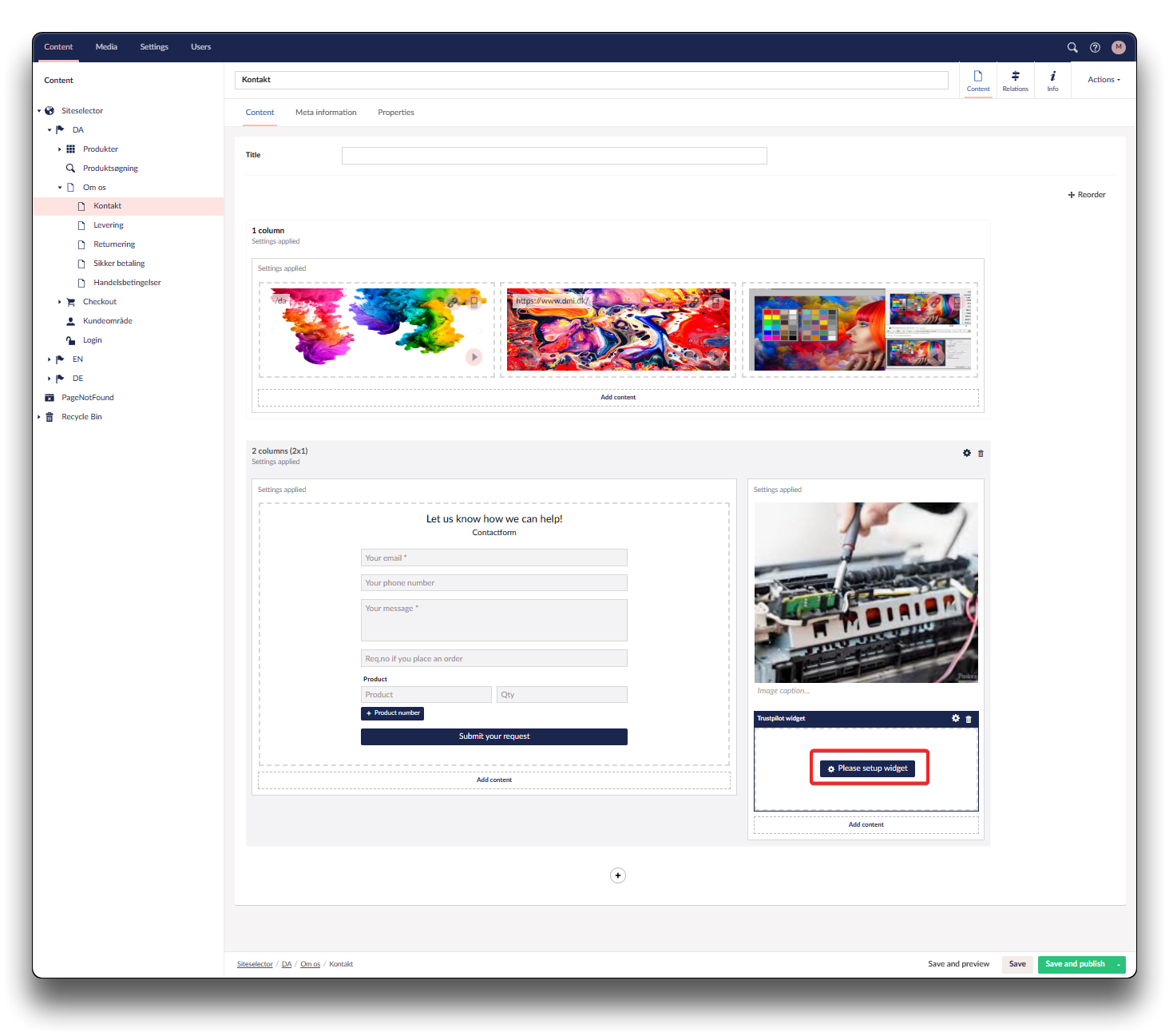
Add Trustpilot widget - step 3
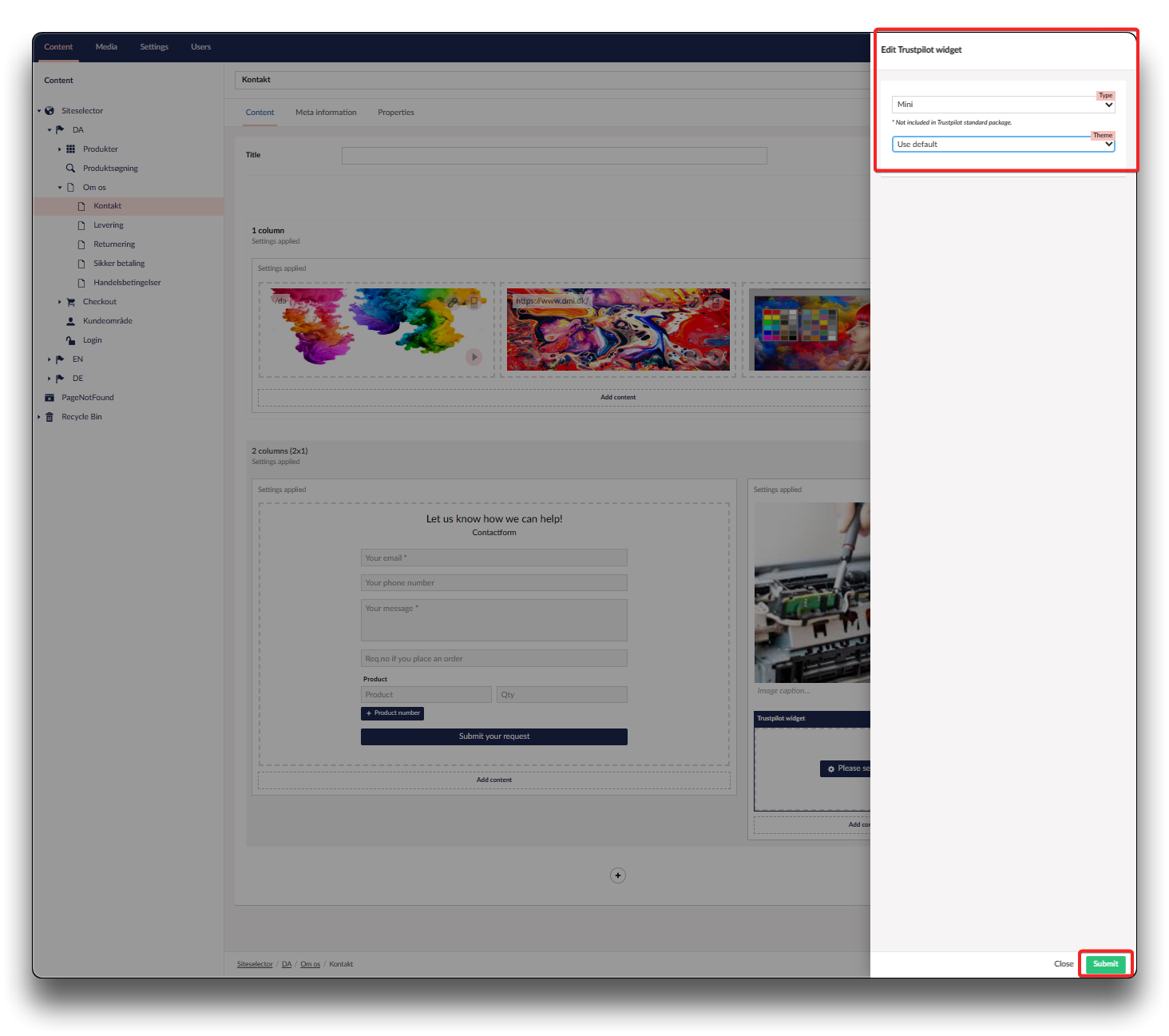
Add Trustpilot widget - step 4
Info
If your shop is running on Chainbox V7 / Umbraco 17, please note that TrustPilot Widget can only be setup as a Mini (replaces Macro)
Mini/Macro
"Trustpilot widget" as a Mini/Macro only has text fields, but works the same as the standalone component.
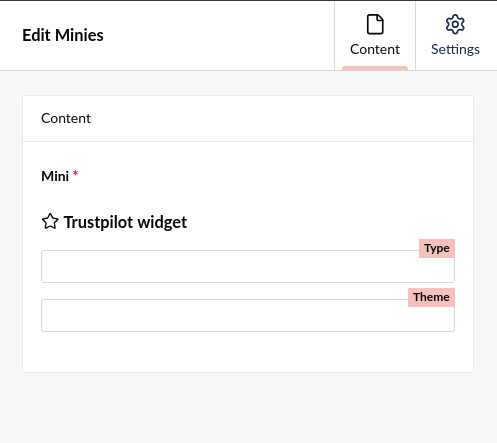
Your "Type" options are:
- micro-combo
- micro-star
- mini
- horizontal
- carousel
- grid
- review-collector
Note that horizontal, carousel and grid are not included in Trustpilot's standard package
Your "Theme" options are (can also be found in your Trustpilot panel):
- light
- dark
- transparent