Lookup list items
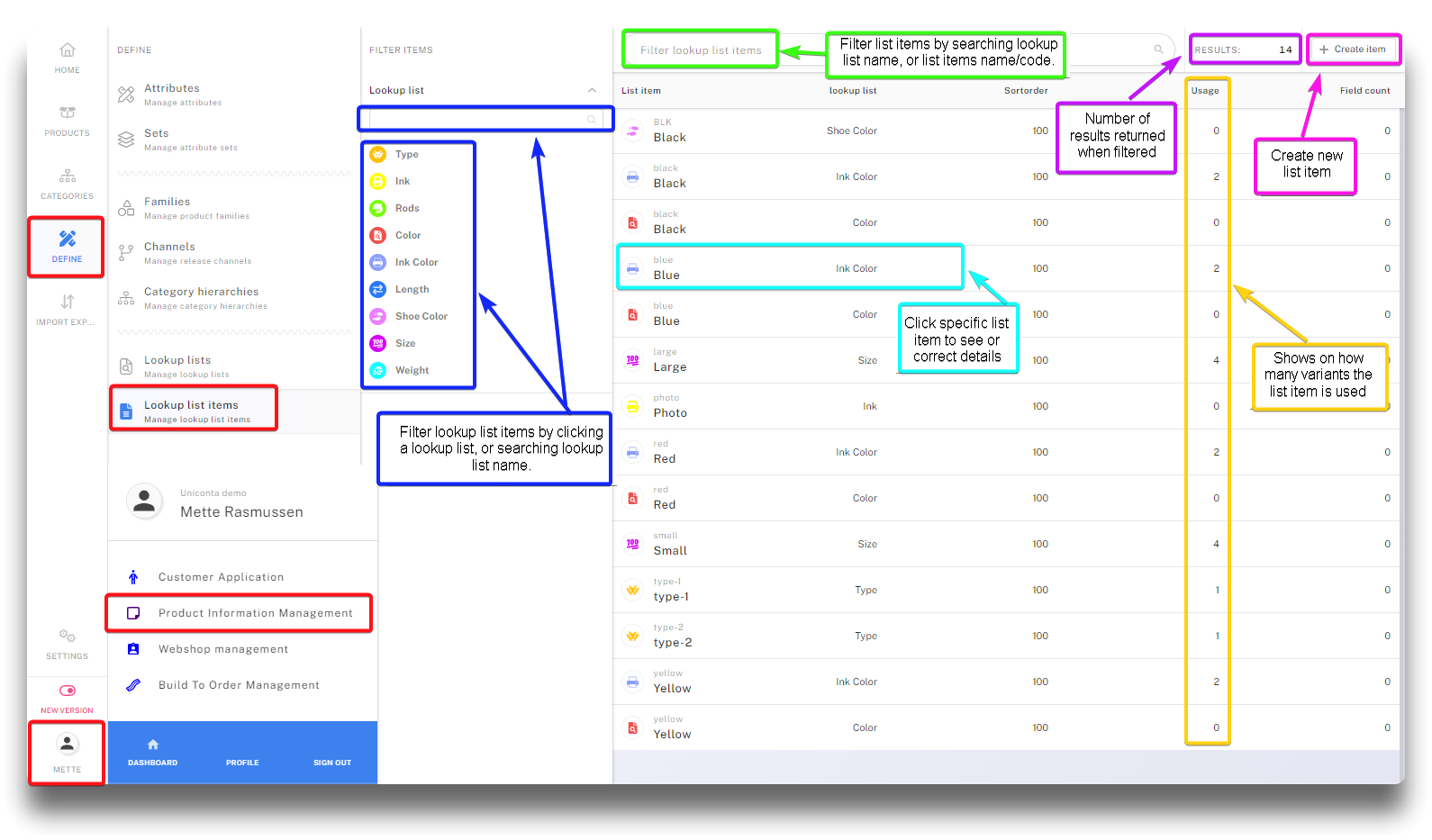
Navigating to and functions of Lookup list items
Creating new list item
Click the "Create item" button. Enter a label and a code (unique identifier per Lookup list).
Option to change sortorder
Choose what lookup list the list item is under.
Click "Save"
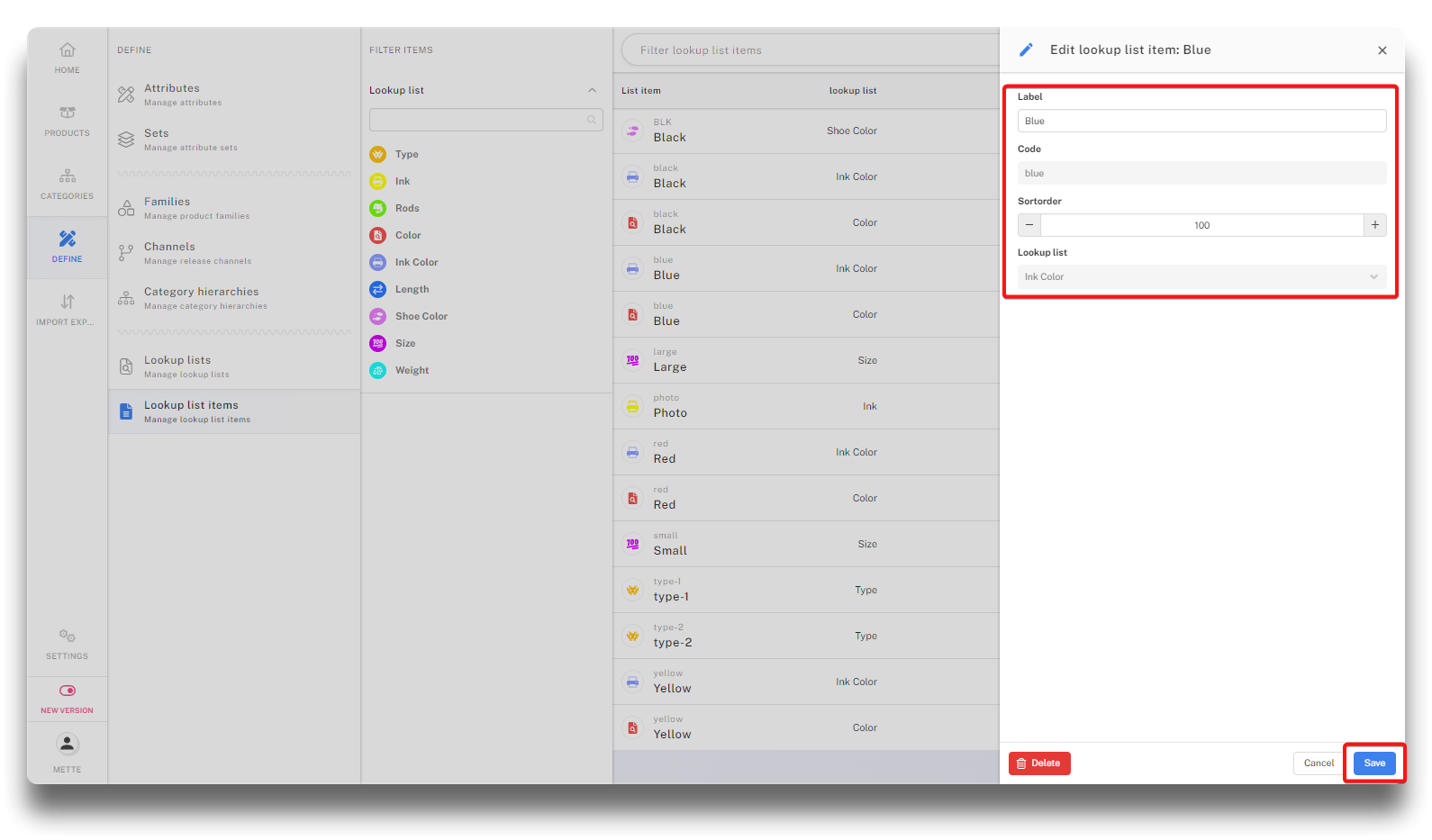
List item details and creation
The label is what is presented on the webshop as list item name, either on variant 1 or 2 depending on the choice on the parent product.
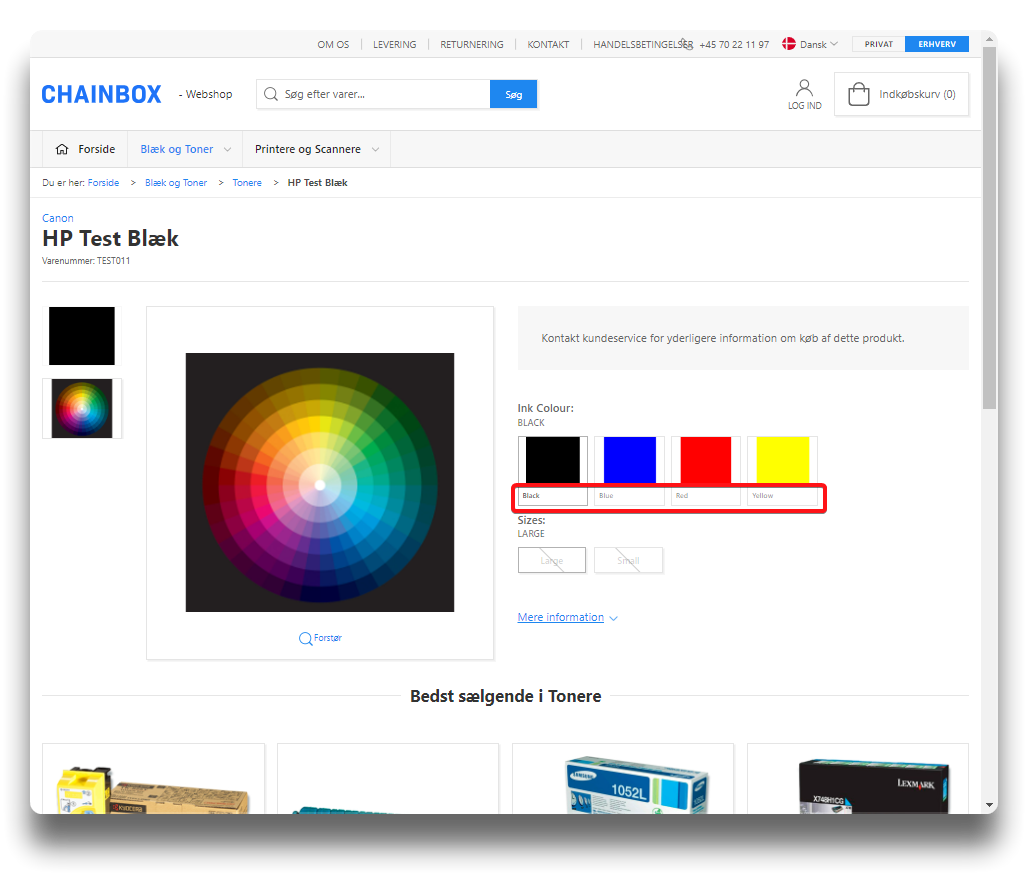
Variant 1 text as shown on webshop
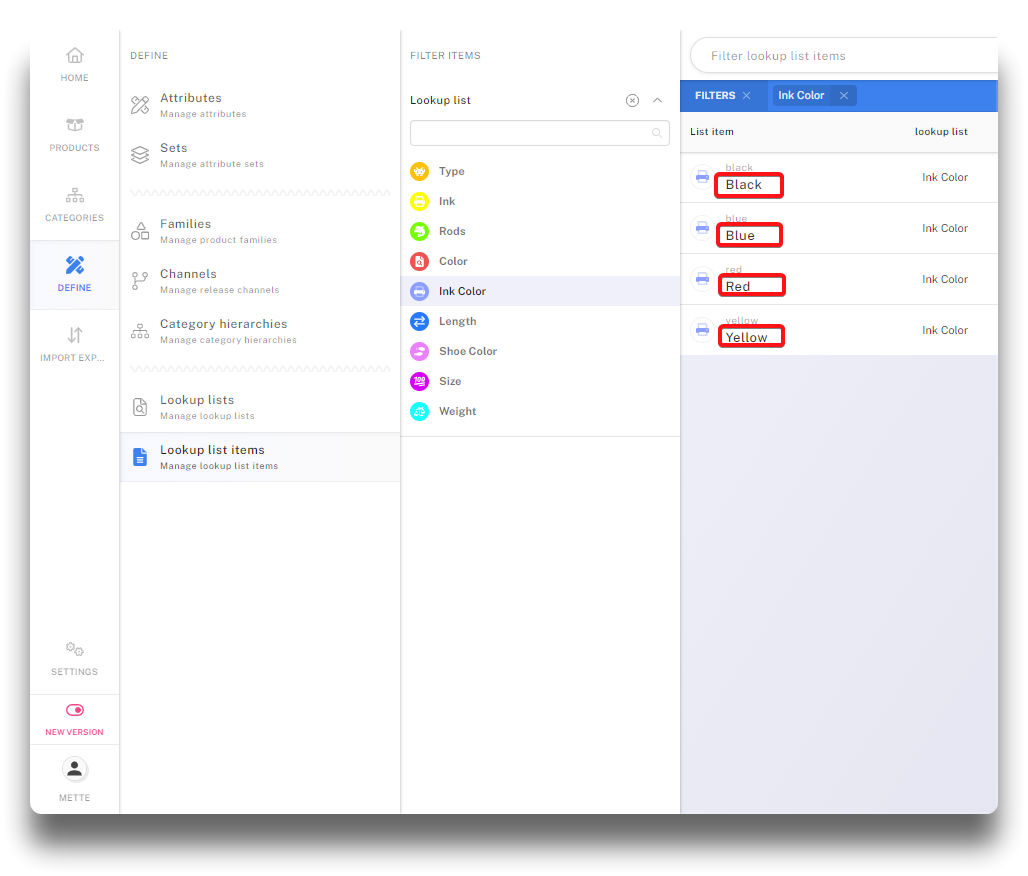
Variant/List item labels in PIM