Ordering
Choose by what field your products should be sorted in the view, and if the sorting should be descending or ascending.
Click the edit icon in the field "No ordering" and tick the attribute that the view should be sorted by. Click "Done"
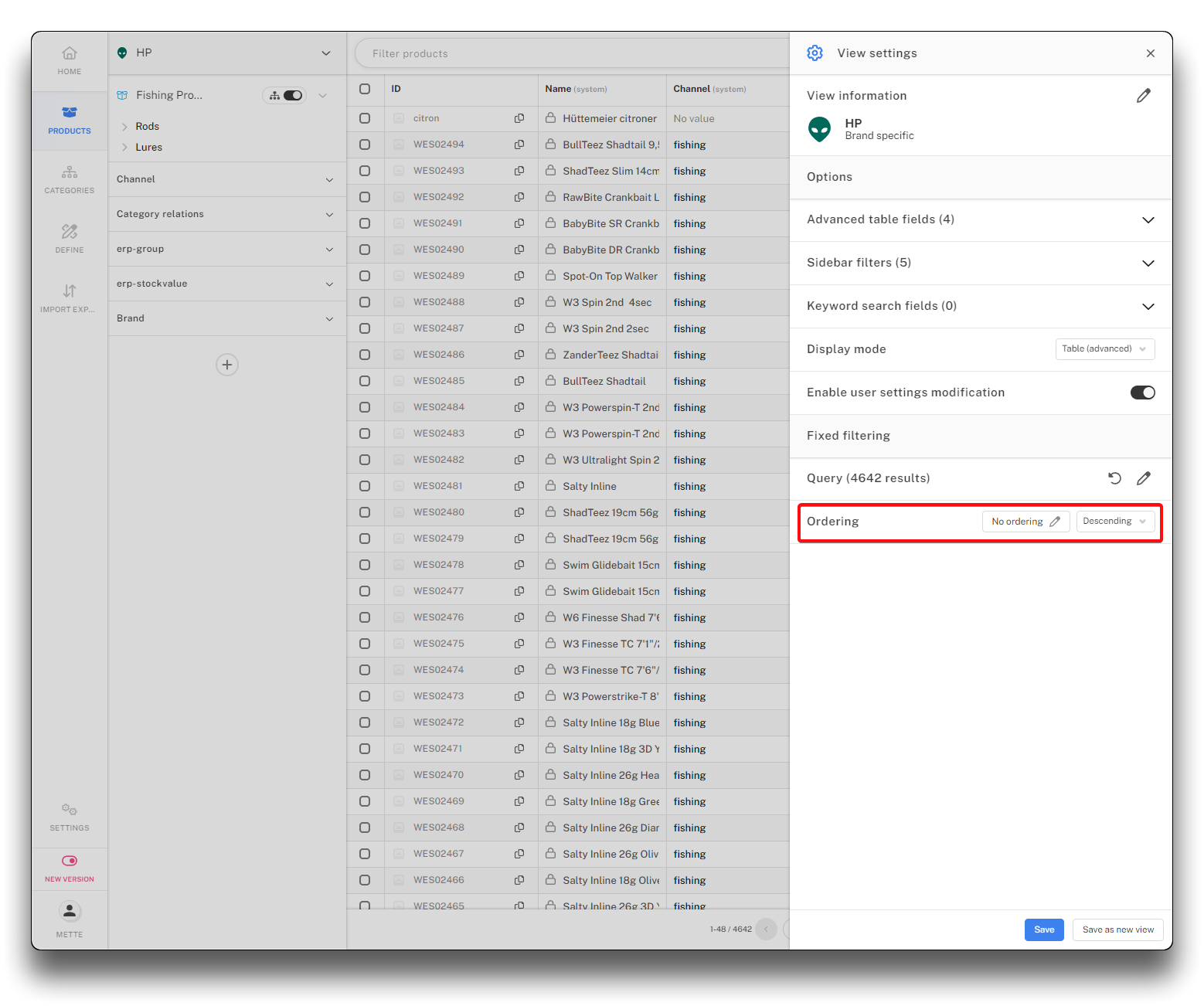
Add ordering to view - step 1
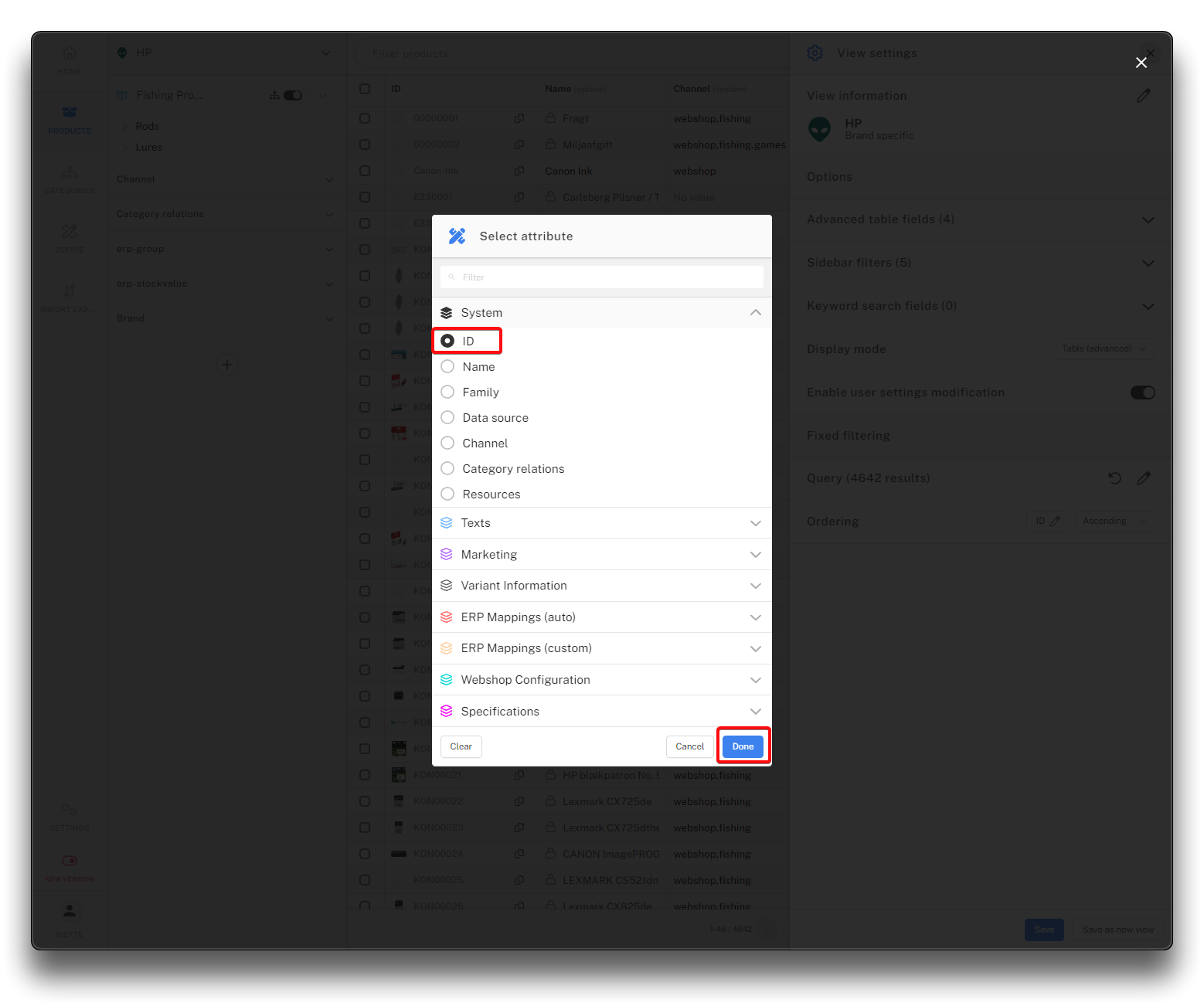
Add ordering to view - step 2
Click the "Ascending/Descending" button to choose in which direction the sorting should go. Click "Save" to add your selection to the view.
The sorting is alphanumeric.
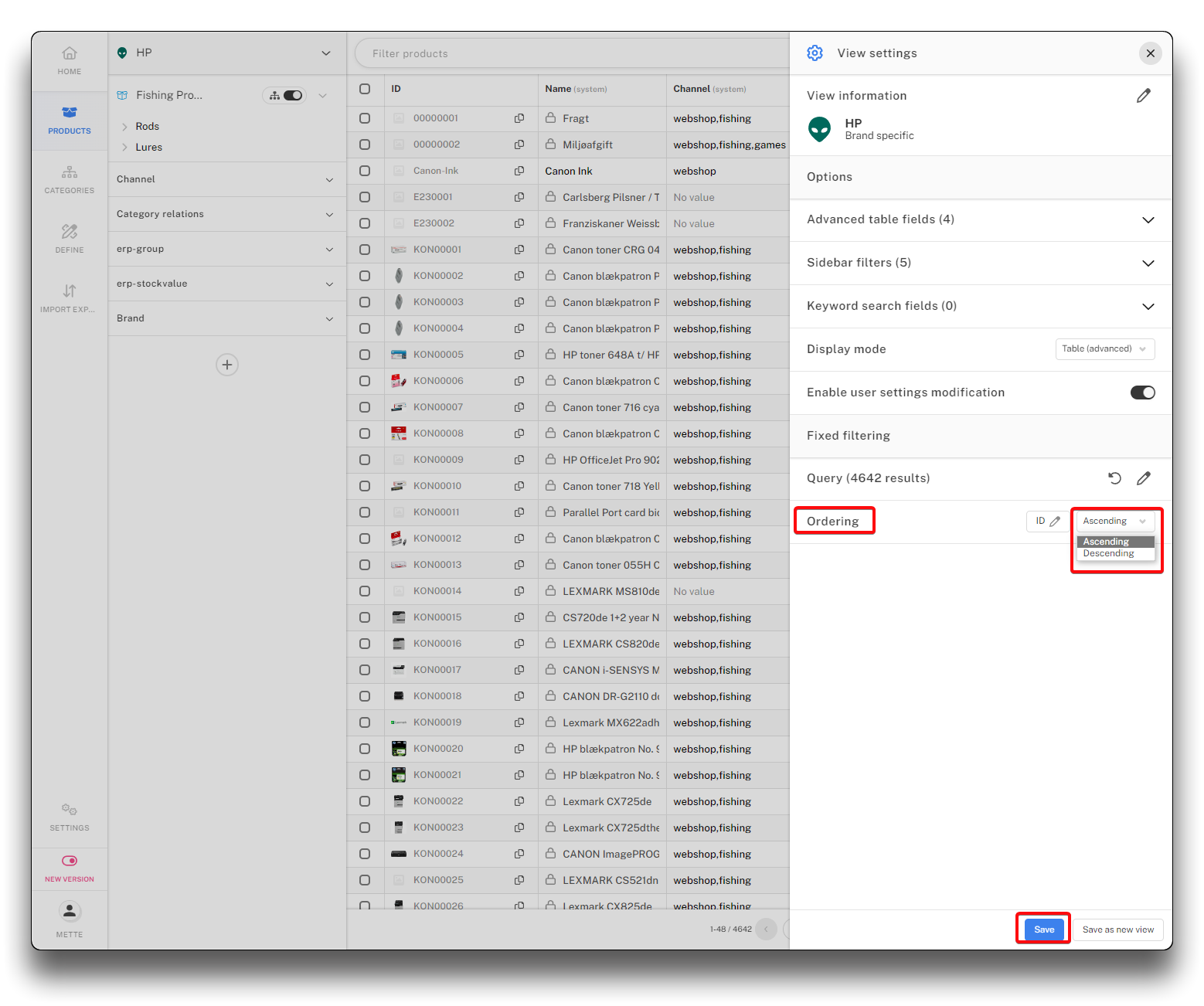
Add ordering to view - step 3
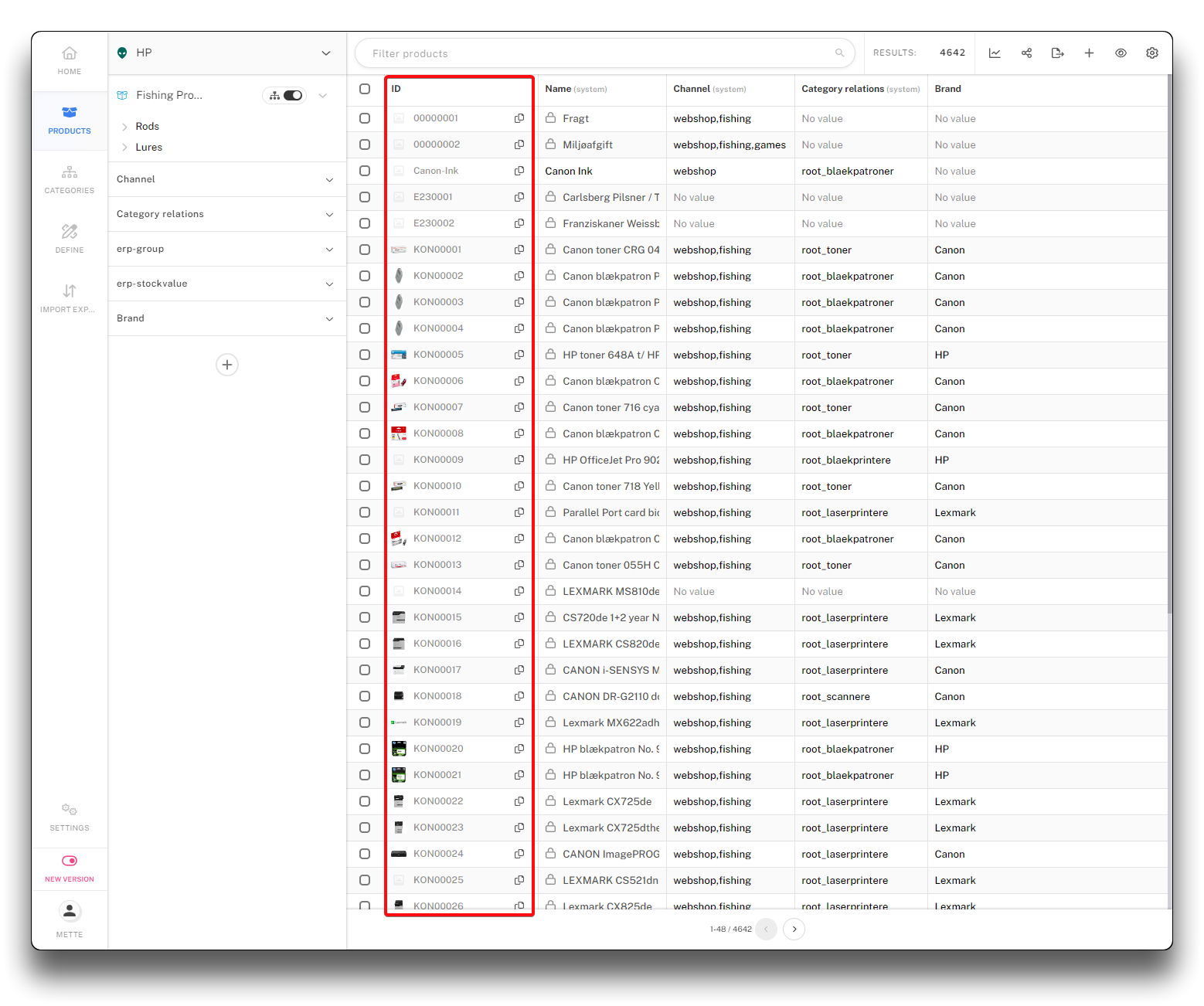
Result of sorting by ID Ascending