Create subcategory
Click on the category you wish to create a subcategory under. Click the "+ Create sub category". Fill in Label and Code. Click "Save"
Warning
Important! Category code may not contain special characters or blanks
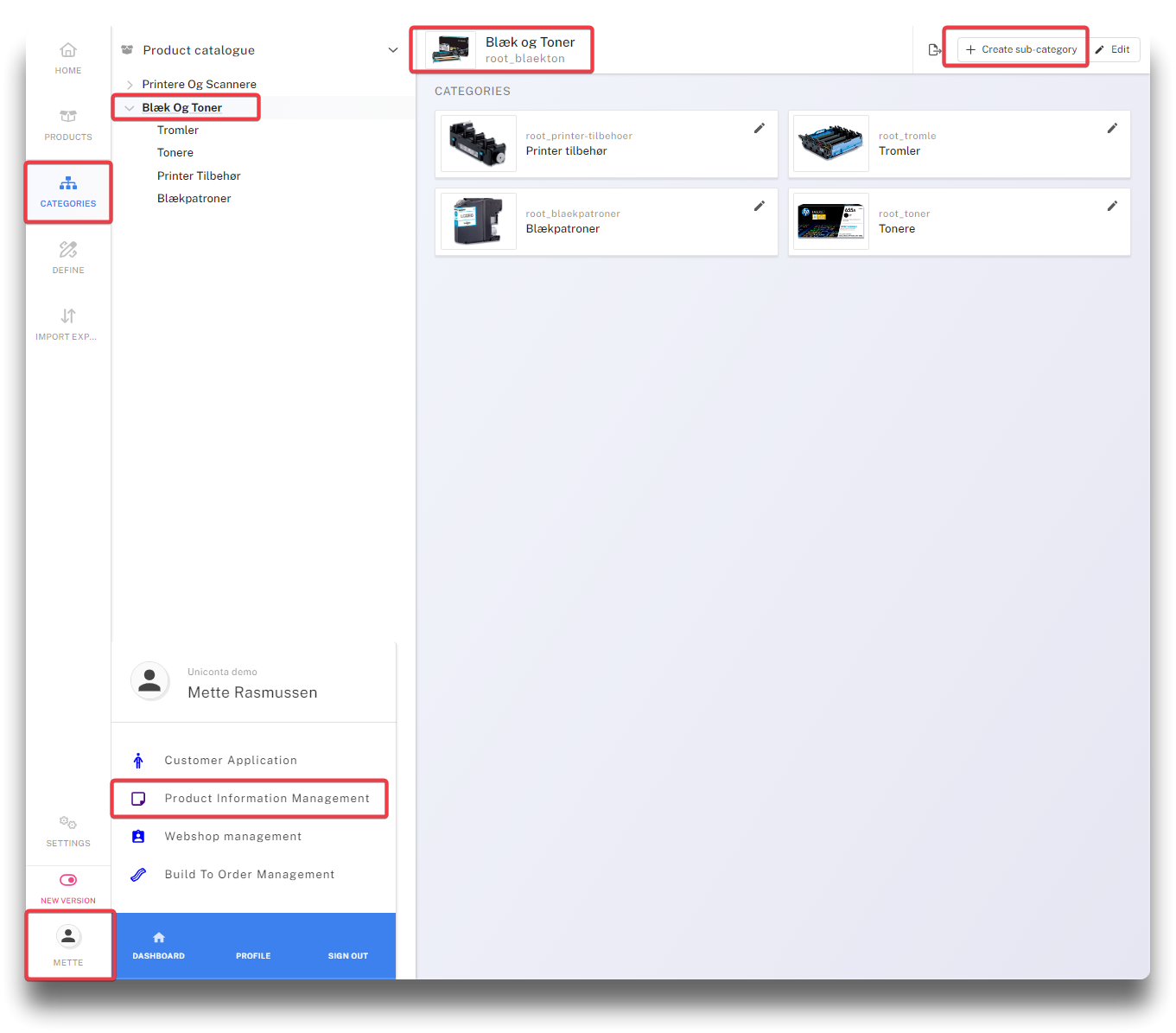
Create subcategory - step 1
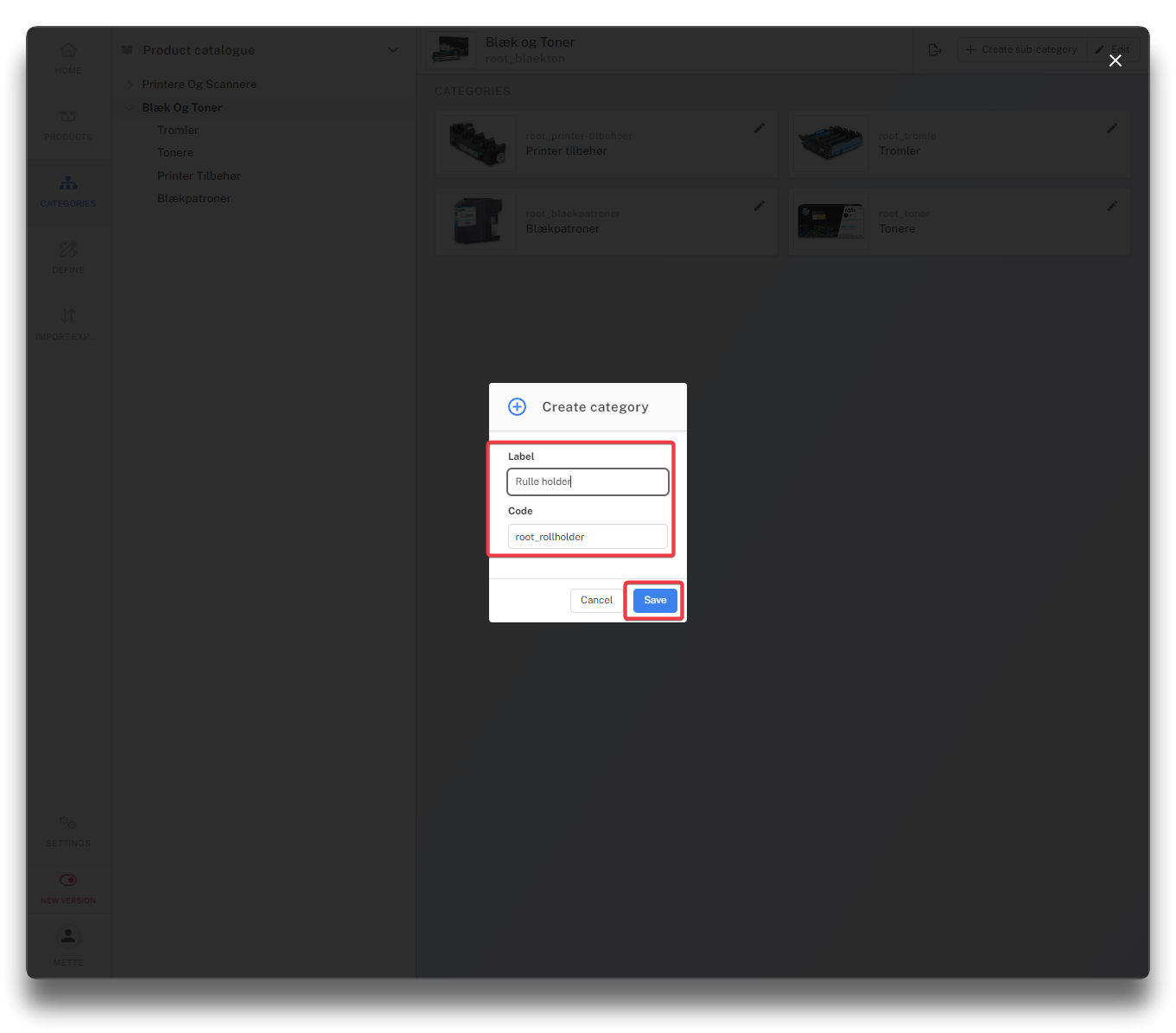
Create subcategory - step 2
Click the edit icon on your new category and add required details.
Until products have been added to the new category, it will not appear on the webshop as long as the "Show empty categories" in Umbraco is disabled.
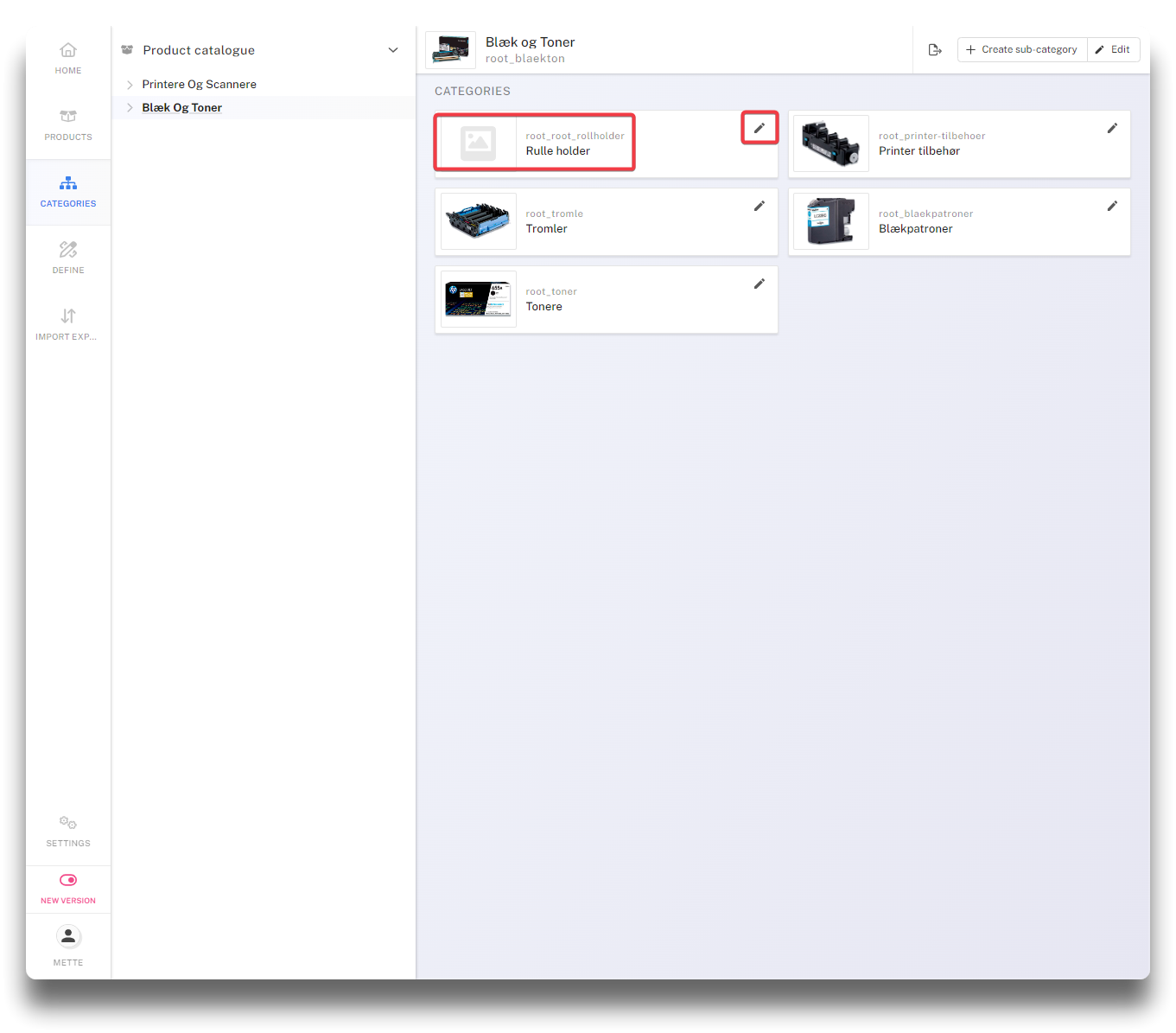
Edit new subcategory
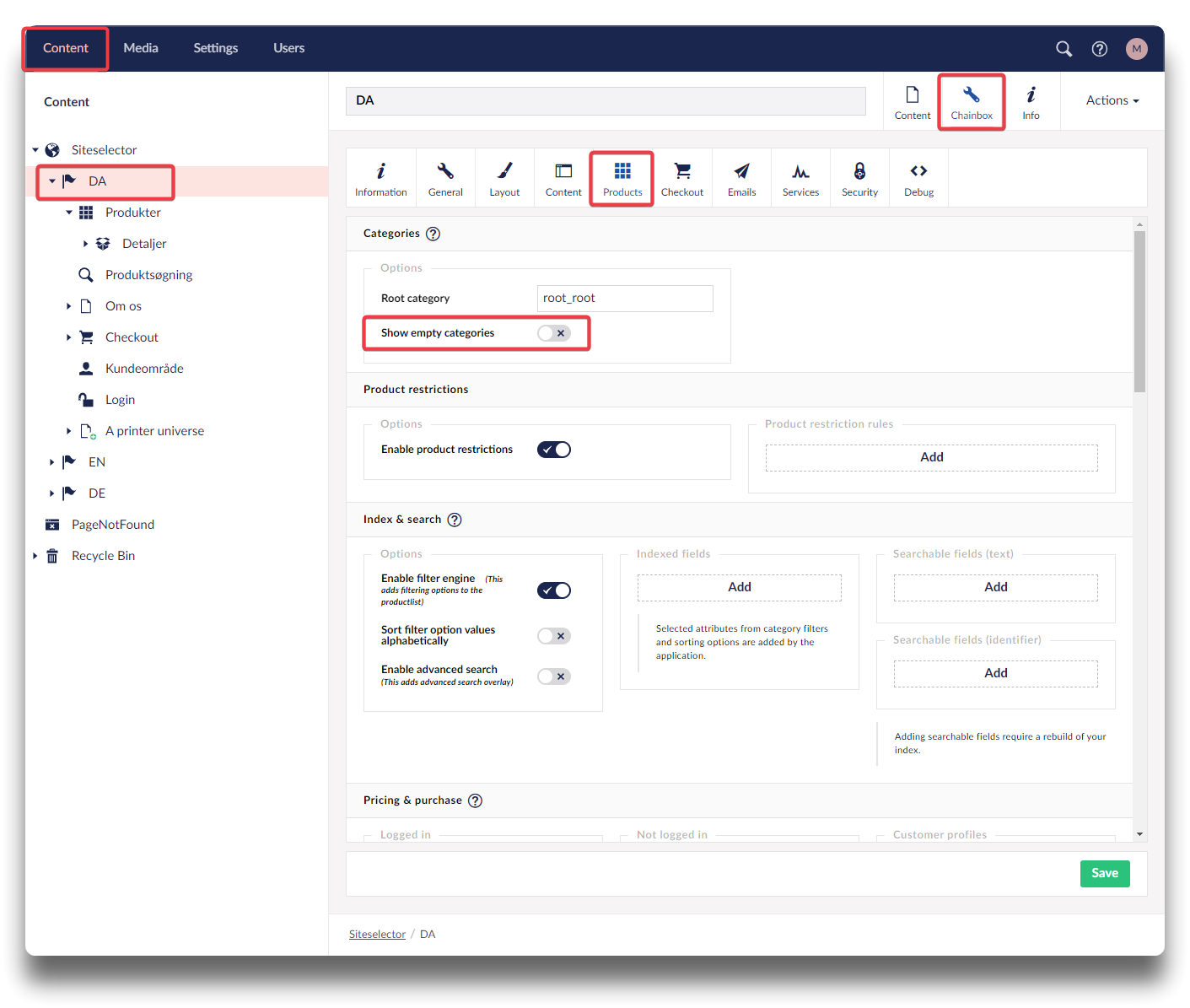
Umbraco setting to prevent empty categories