Resources
Resources constitutes of images and files related to the product as well as access to the whole resource pool.
Access resources by clicking product images or the Resources tab
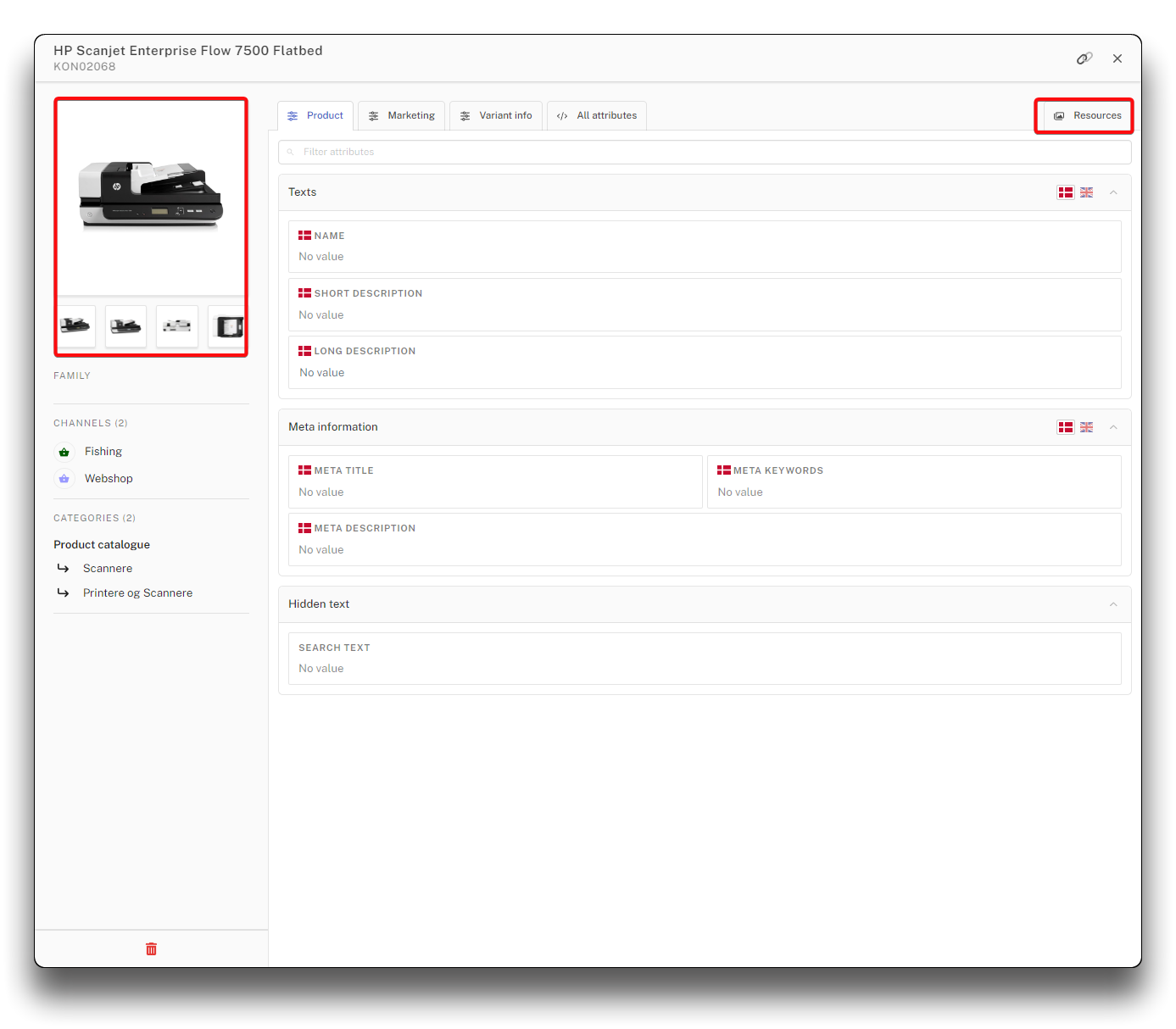
Access resources in product details
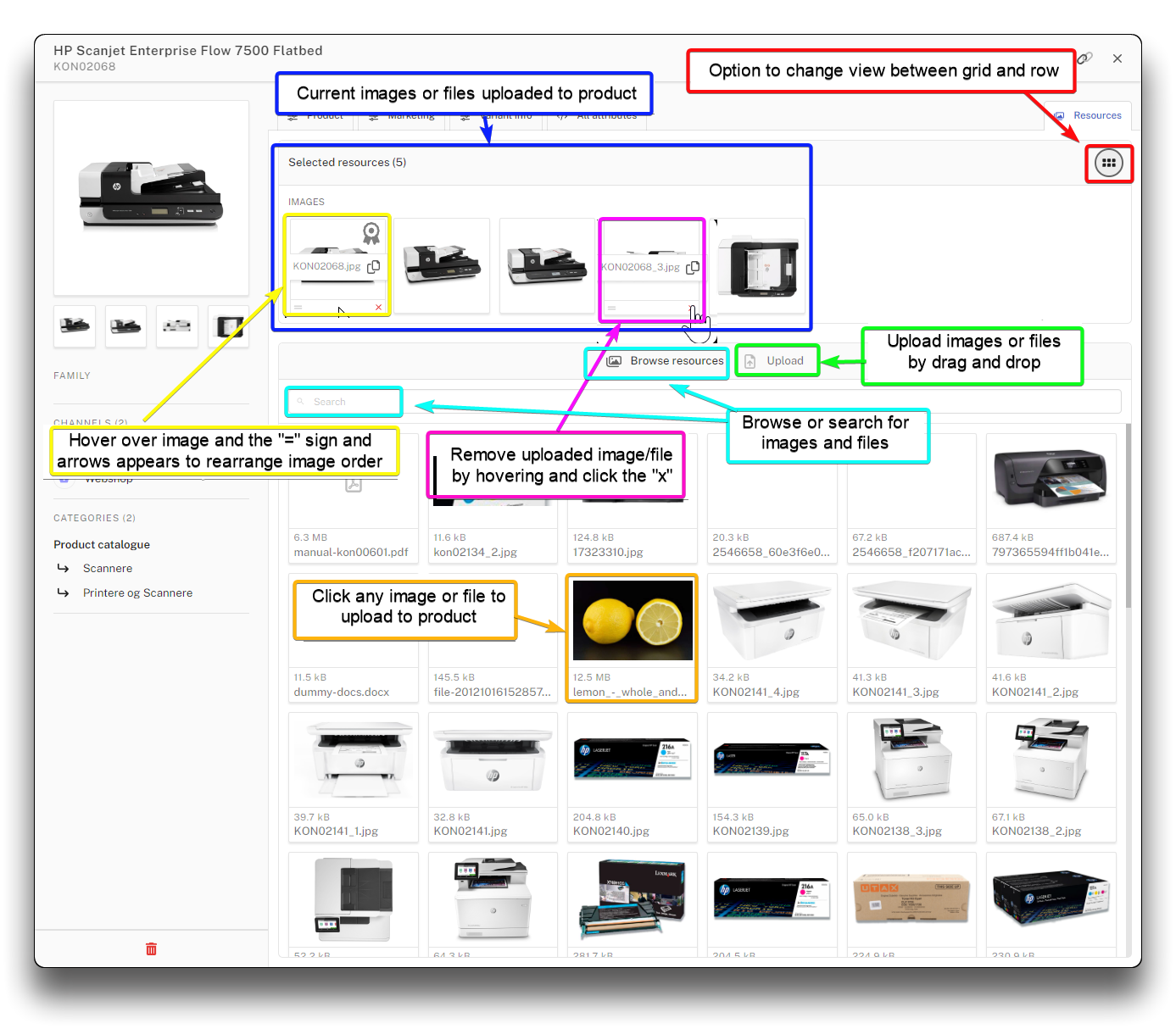
Functions available in resources on product details
Warning
Vitals and hints:
- Same file or image can be related to multiple products.
- When removing an image/file from a product it is not erased from the resource pool.
- Keep backup of your images/files elsewhere. Firstly because it is your responsibility, and secondly because PIM will resize your images to match the webshop purposes, and therefore the image might not be identical with the uploaded image if downloaded again.
- If you work with variants, the above description is how you add images to parent products. Variants and their images are handled under the "Variant info" tab on product details.
- If you work with two-sided variants (variants with both variant-group-1 and variant-group-2) dimension-resources can be related to variant-dimension-1 on the parents product details, tab/composition "Variant info".
- Have a naming strategy in place that ensures it is obvious what product/products the image is for, and if it is a main or secondary image.
- The main picture marked with prize ribbon icon is also the image presented on the product list.
- Allowed file types: There are no restrictions as to which file types can be uploaded to PIM. You may however meet size-restrictions in the webshop.
- Compatible image formats: Most common image types for web are supported, such as JPG, PNG, WEBP etc. Some image formats cannot be processed and will be considered documents for download instead. These include BMP, TIFF and SVG.
- Most recognised images can be automatically converted to webp format in the upload screen. This format is recommended for images.
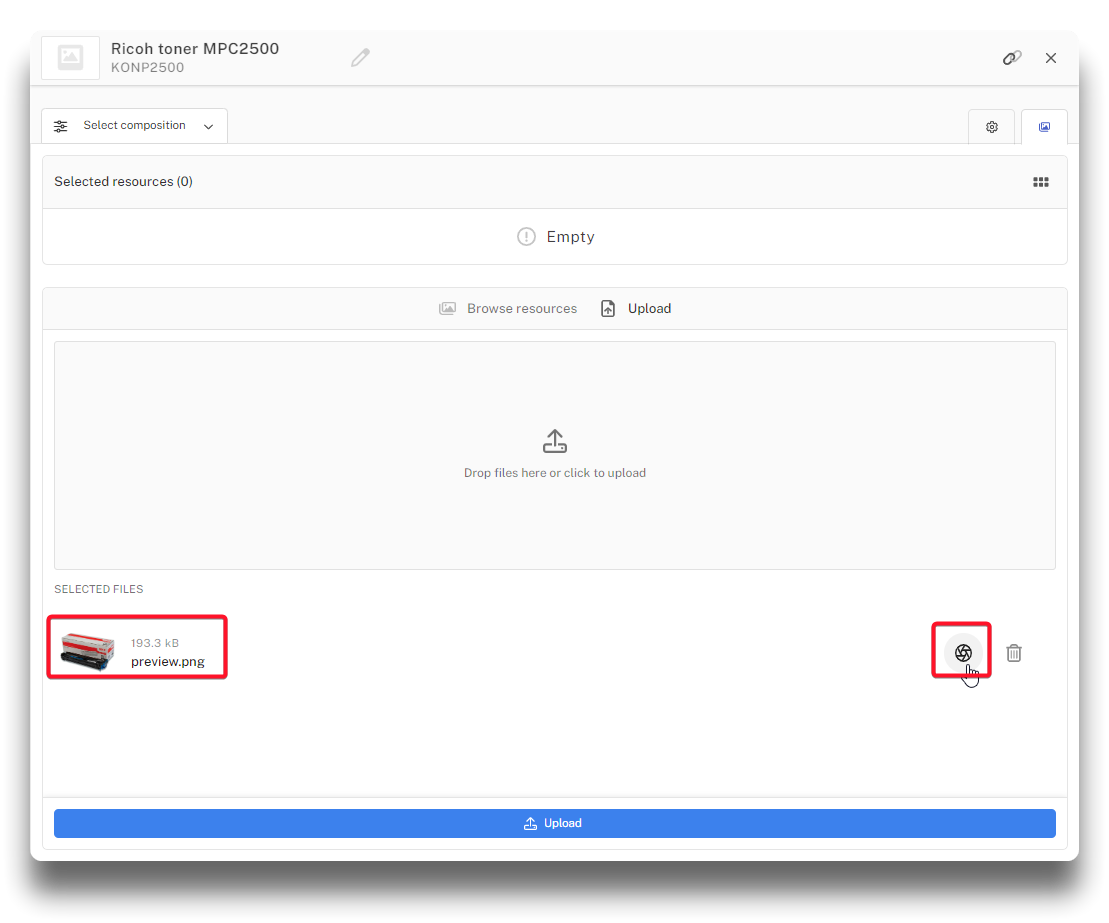
png converted to webp
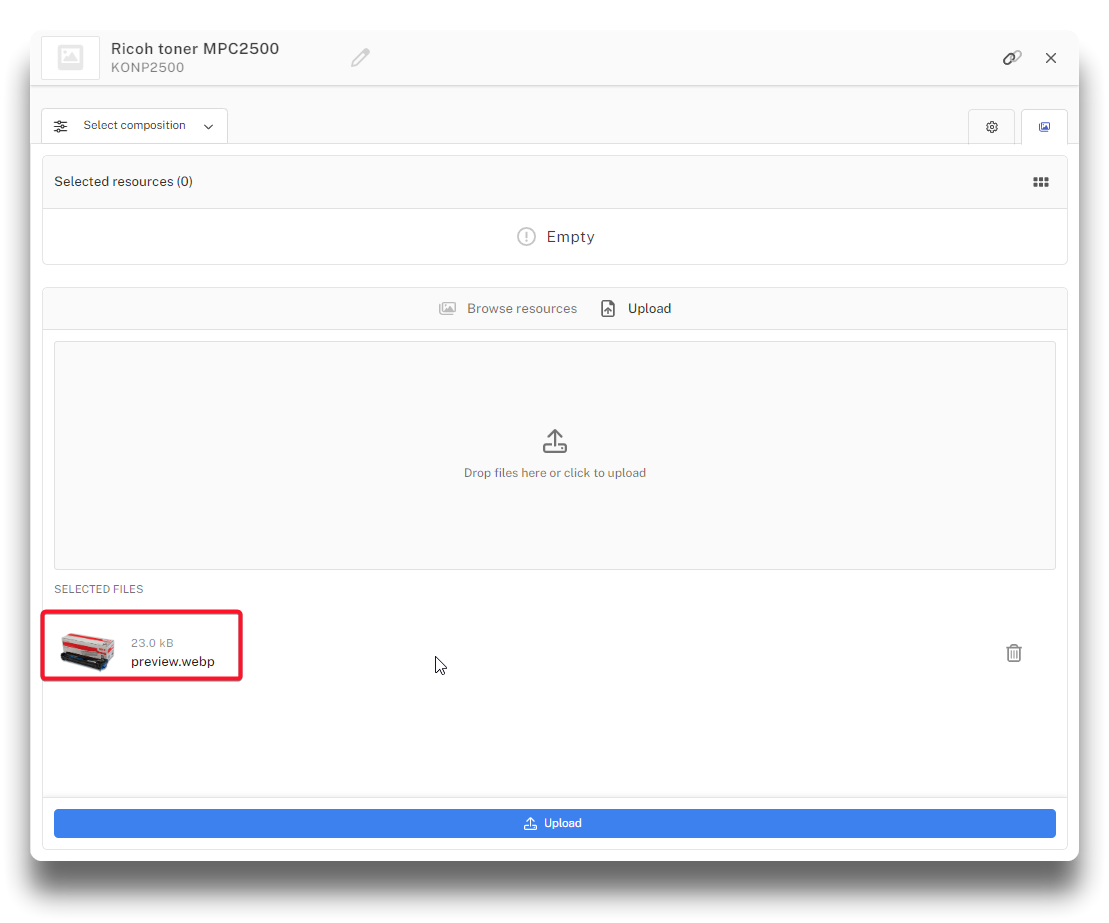
Result of conversion