TrustTextWithIcon
With this macro you can add an icon and a related text.
To find available icons, use below link:
https://getuikit.com/docs/icon#library
Click "Add content" and choose "Macro"
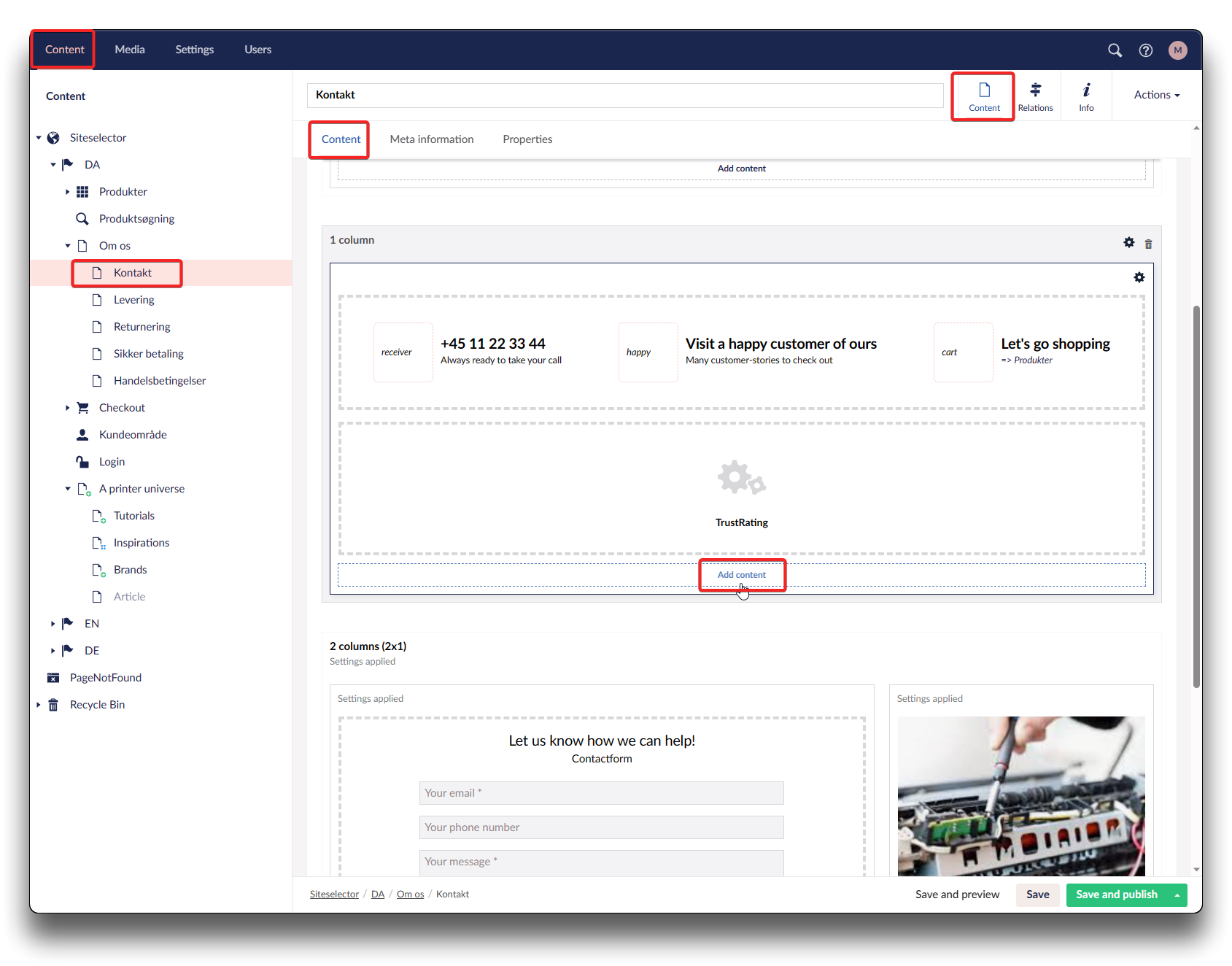
Adding Macro TrustTextWithIcon - step 1
.png)
Adding Macro TrustTextWithIcon - step 2
Choose "TrustTextWithIcon", insert your Icon-name and an appropriate text. Click "Submit" and "Save and publish"
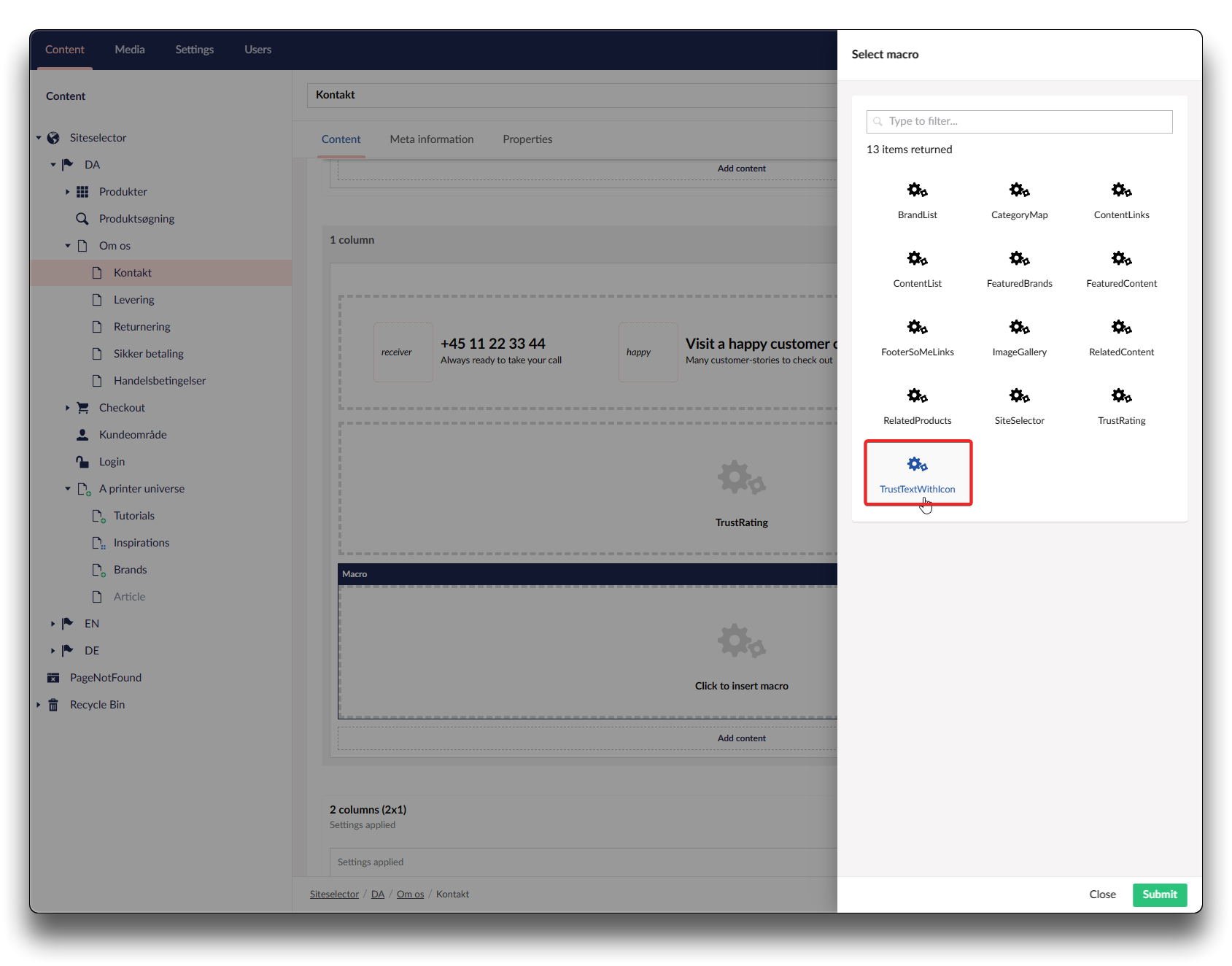
Adding Macro TrustTextWithIcon - step 3
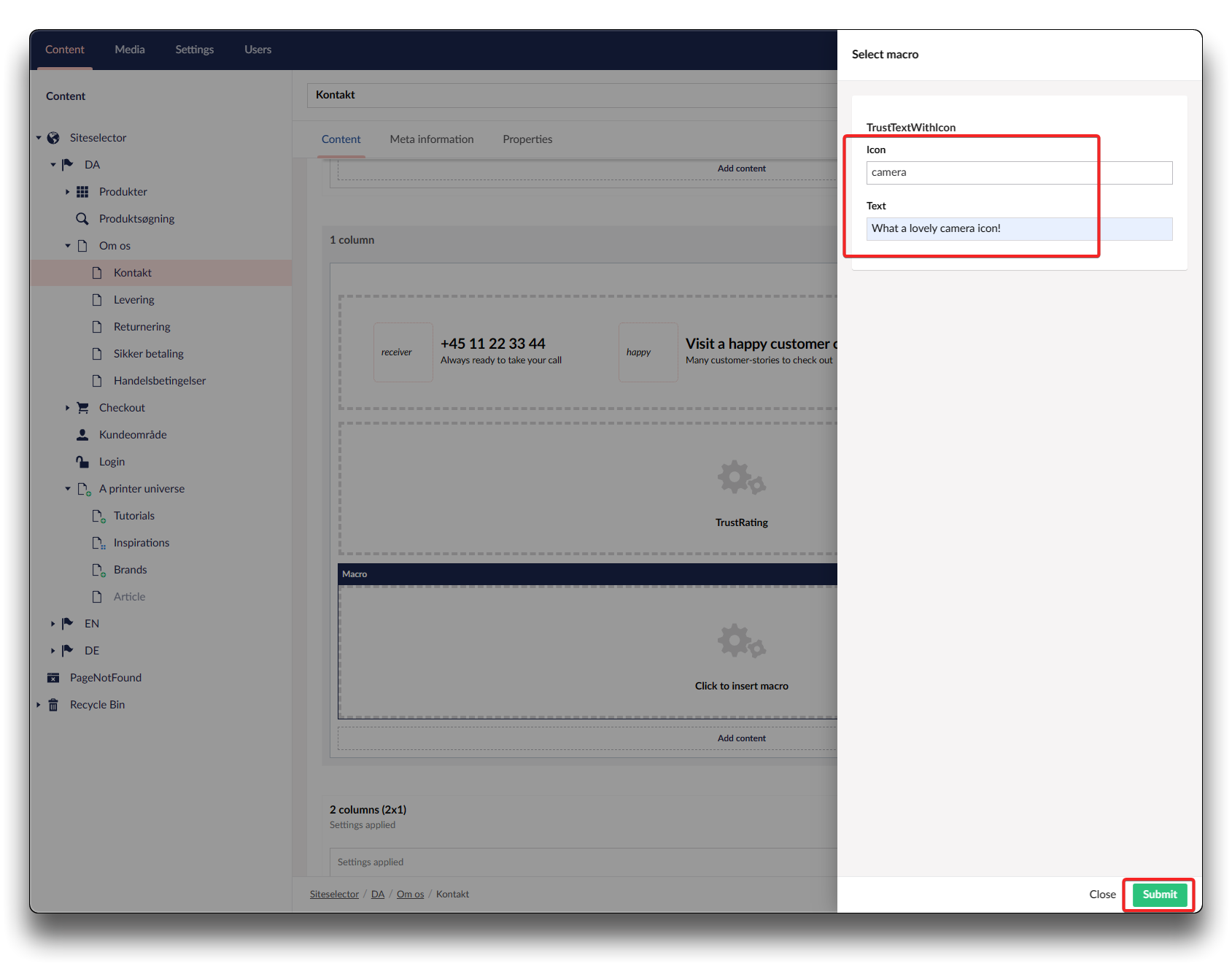
Adding Macro TrustTextWithIcon - step 4
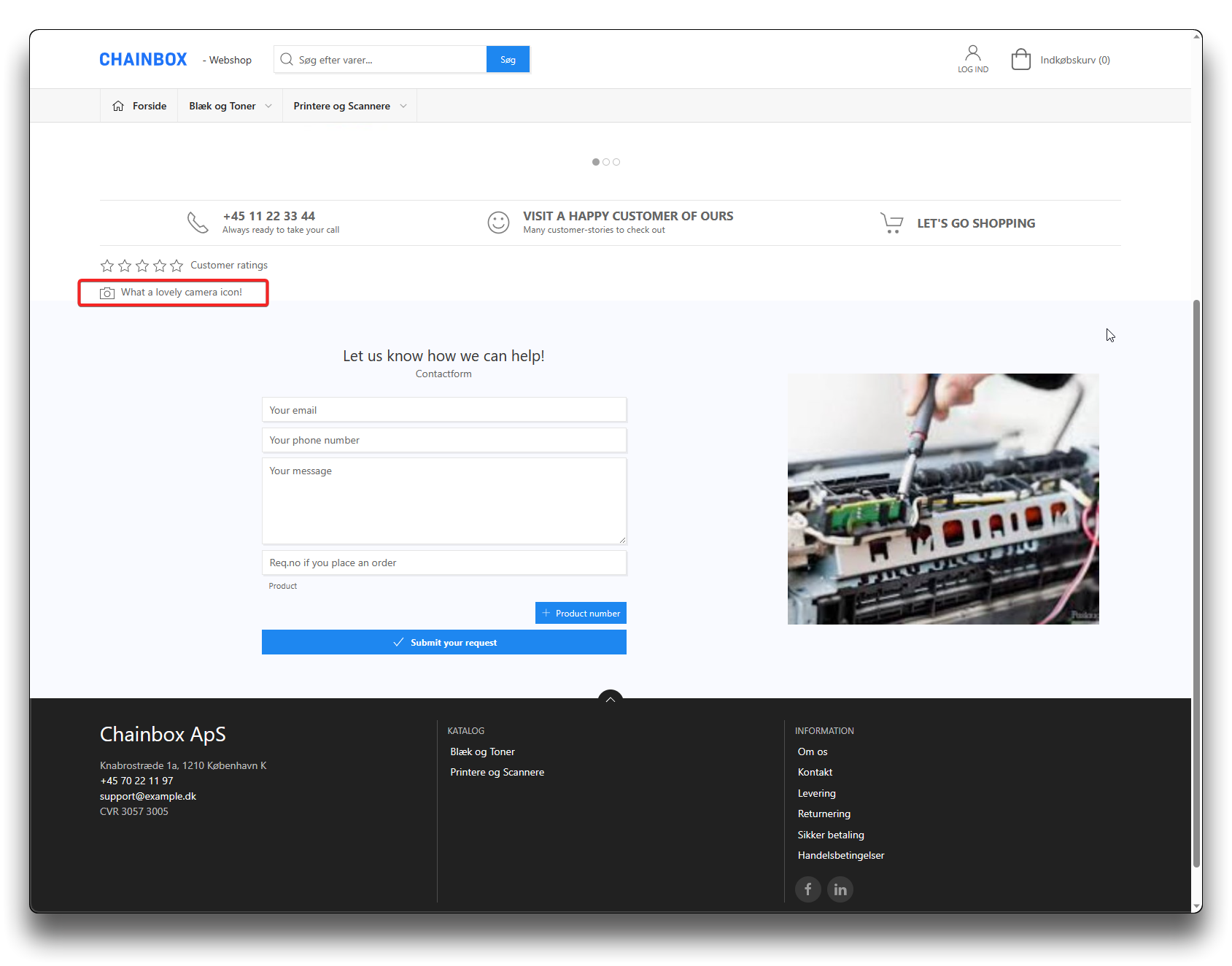
Result on webshop
Placeholders
Placeholders are used in the text area to automatically show content entered in the Information tab.
-
companyphone### ➜ Company phone
-
shopemail### ➜ Company email