Attributes with Umbraco functionality
Below is a list of attributes not default in PIM, but where functionality is triggered in the webshop based on the attribute code and datatype.
To work correctly please create attributes with codes and datatypes as shown. Label and Set can vary without affecting the functionality.
Code: addon-products datatype: product-relation
On the product detail page in PIM, enter relevant product ID's that the customer should be prompted to buy along with the main product.
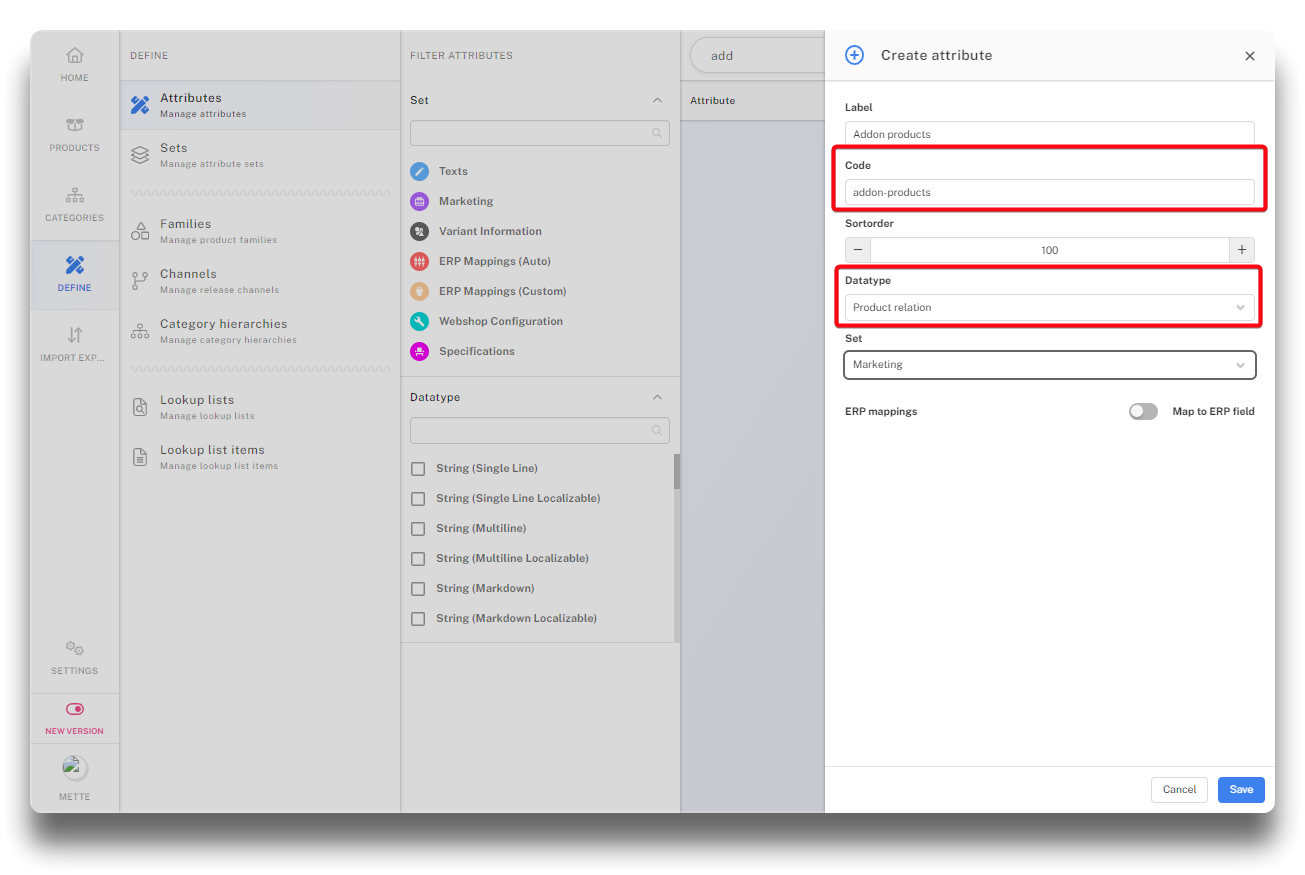
Creating attribute code addon-products
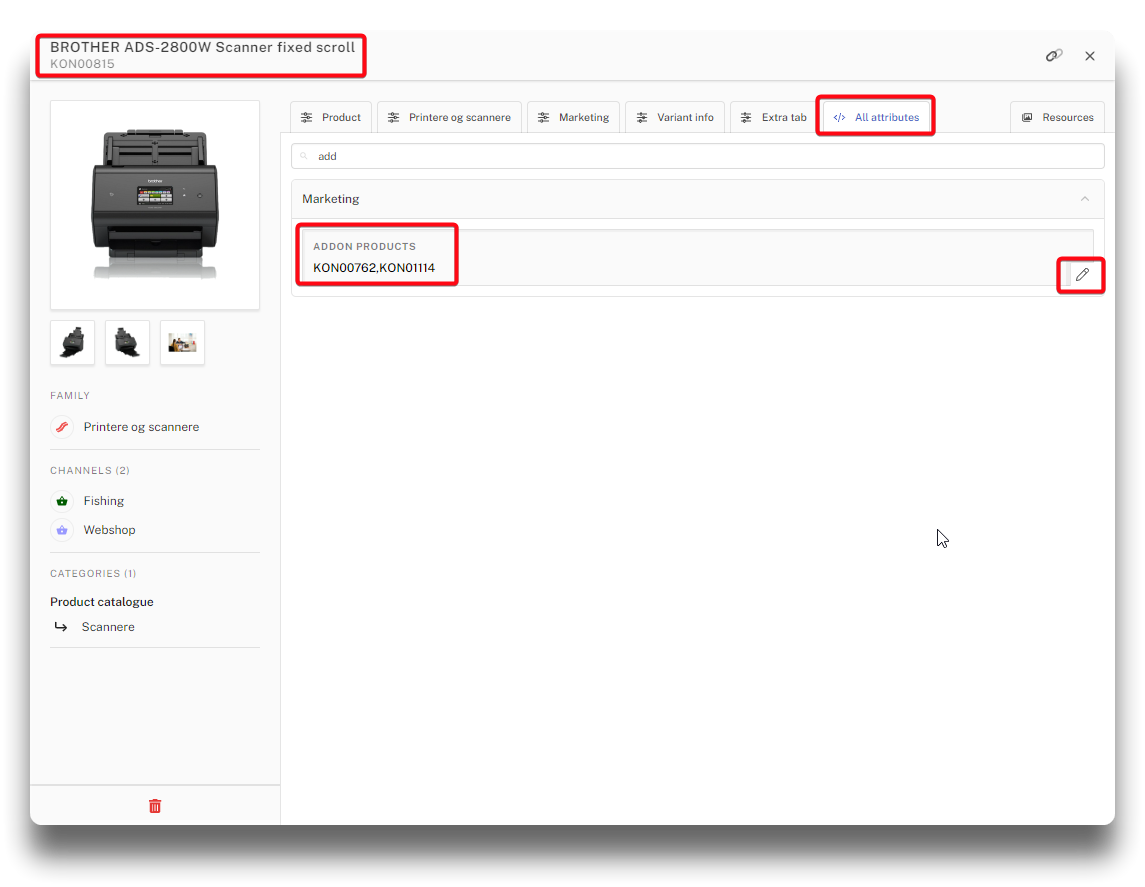
Tagged product ID's on main product
When the customer goes to the product detail page in the webshop, the two product ID's will be presented as addons to buy.
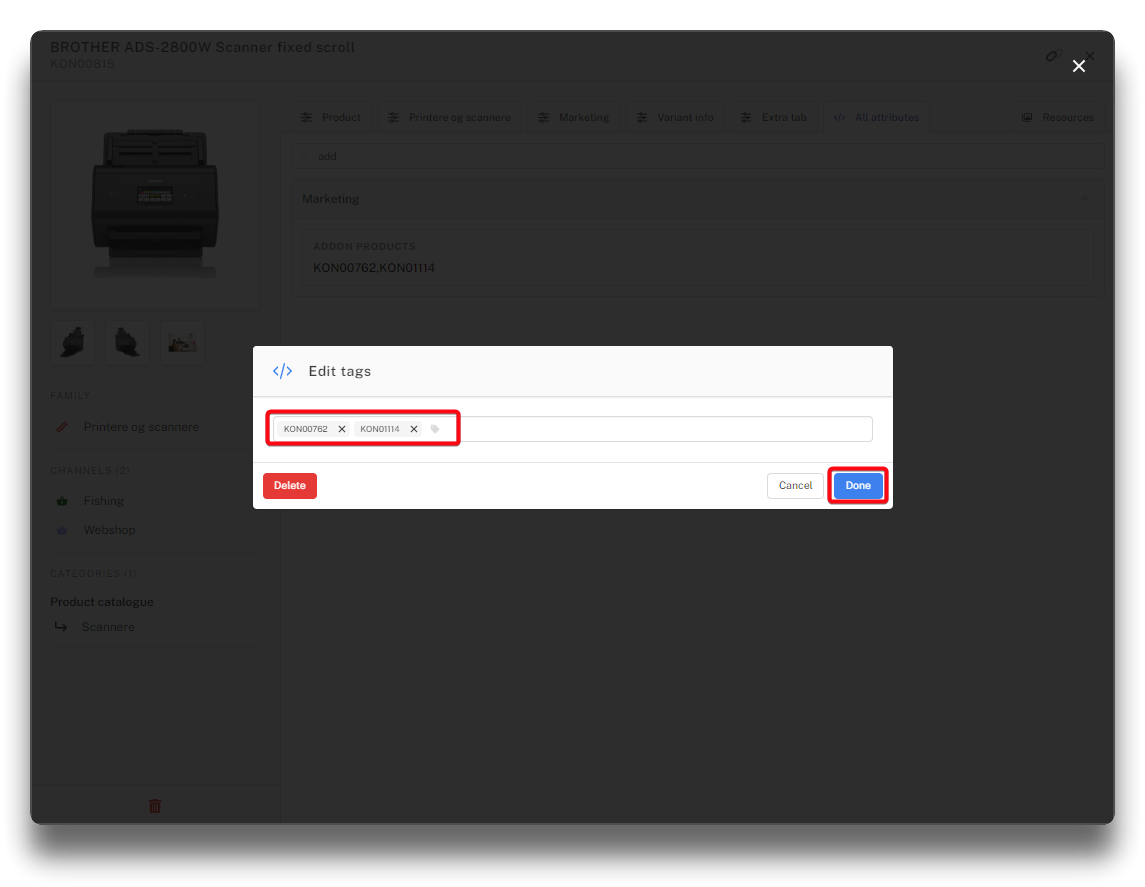
Tag/edit product ID's
.png)
Result in webshop
Code: stock-value data-type: decimal
An attribute field with the code stock-value and data-type: decimal, is the default field used by the webshop to determind the qty in stock.
.png)
stock-value field used by shop to determind stock level
Code: remote-image data-type: Resource URL (single)
This attribute gives the option to use an external URL as product image. It is important to stress, that this solution should only be temporary. If the image is changed/removed from the external site, then it will no longer work. Note also that large images entered in this matter will make large category lists slow. This option should be used only on demo- or test-sites. It will also require that the external site is whitelisted in the security section of the Chainbox toolbox in CMS Umbraco.
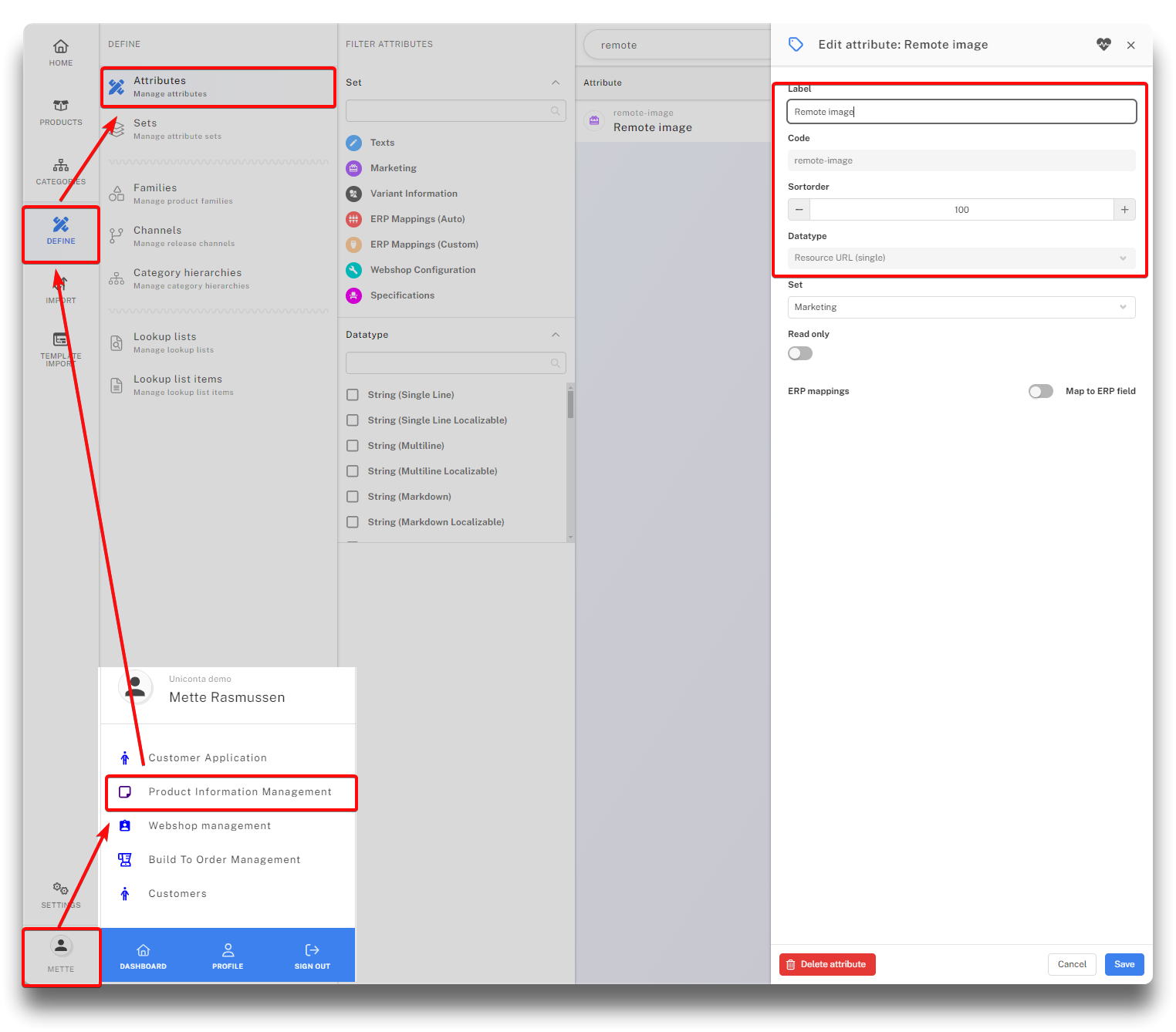
Creating attribute Remote Image
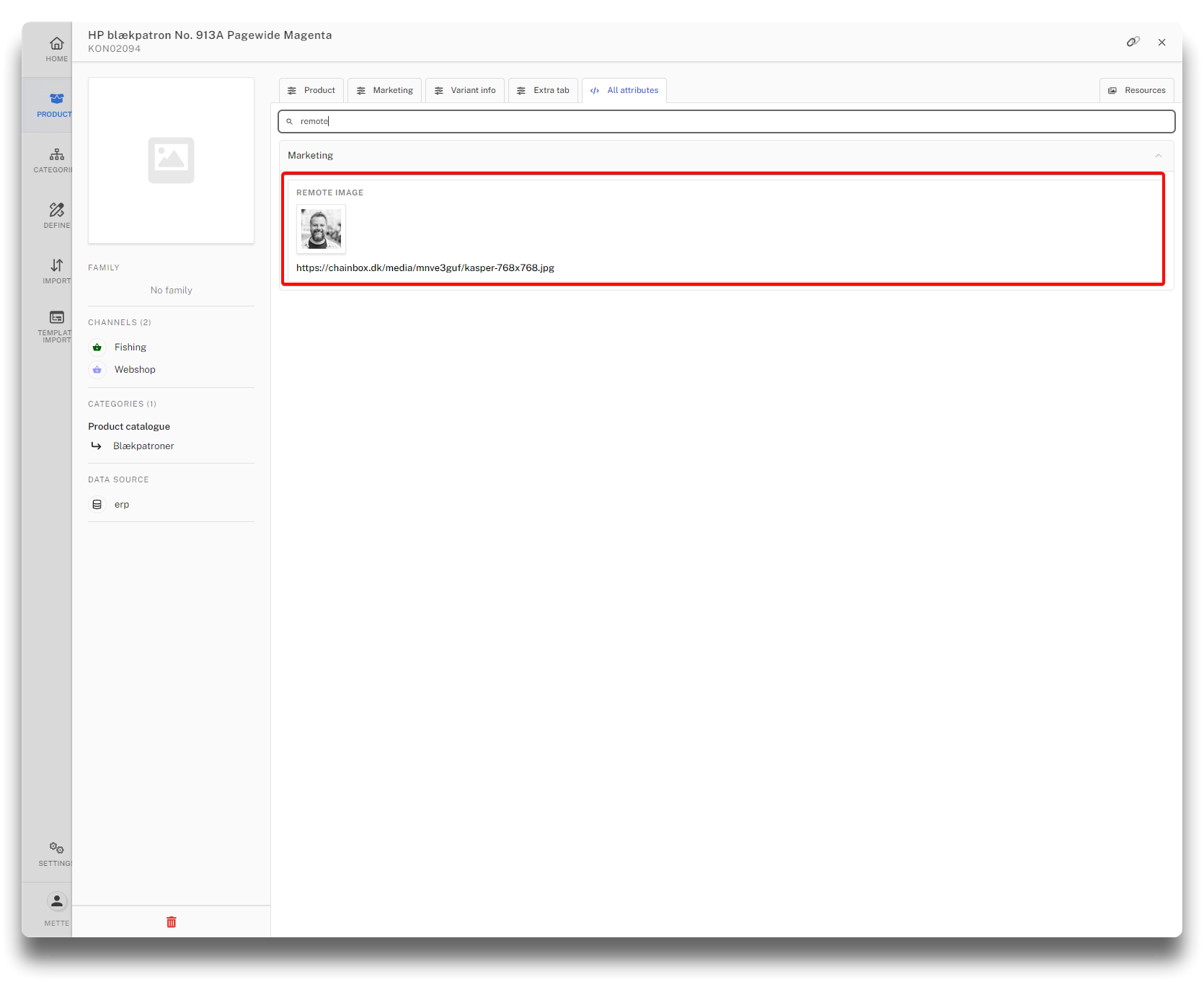
External URL entered as remote image
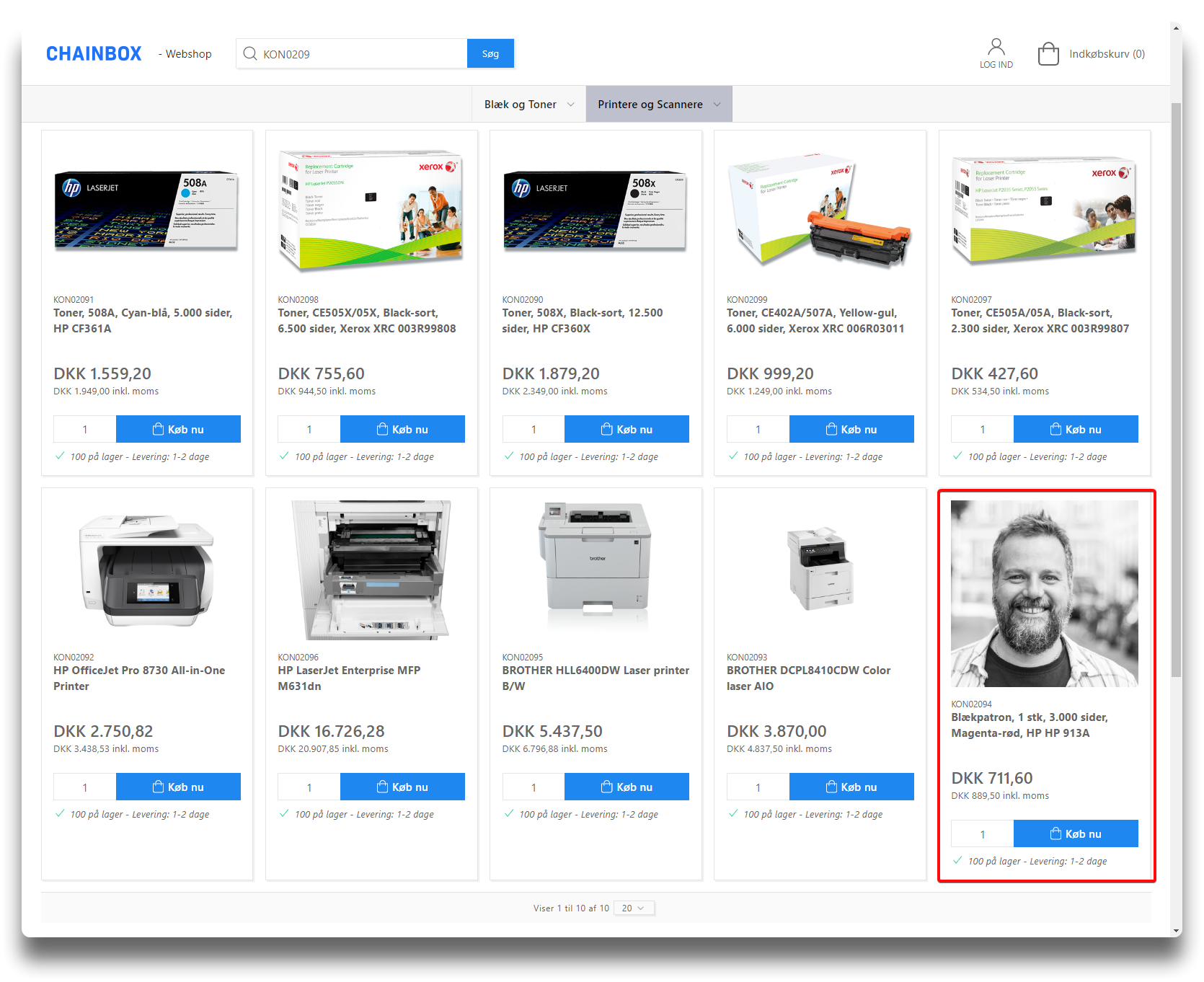
Result in webshop
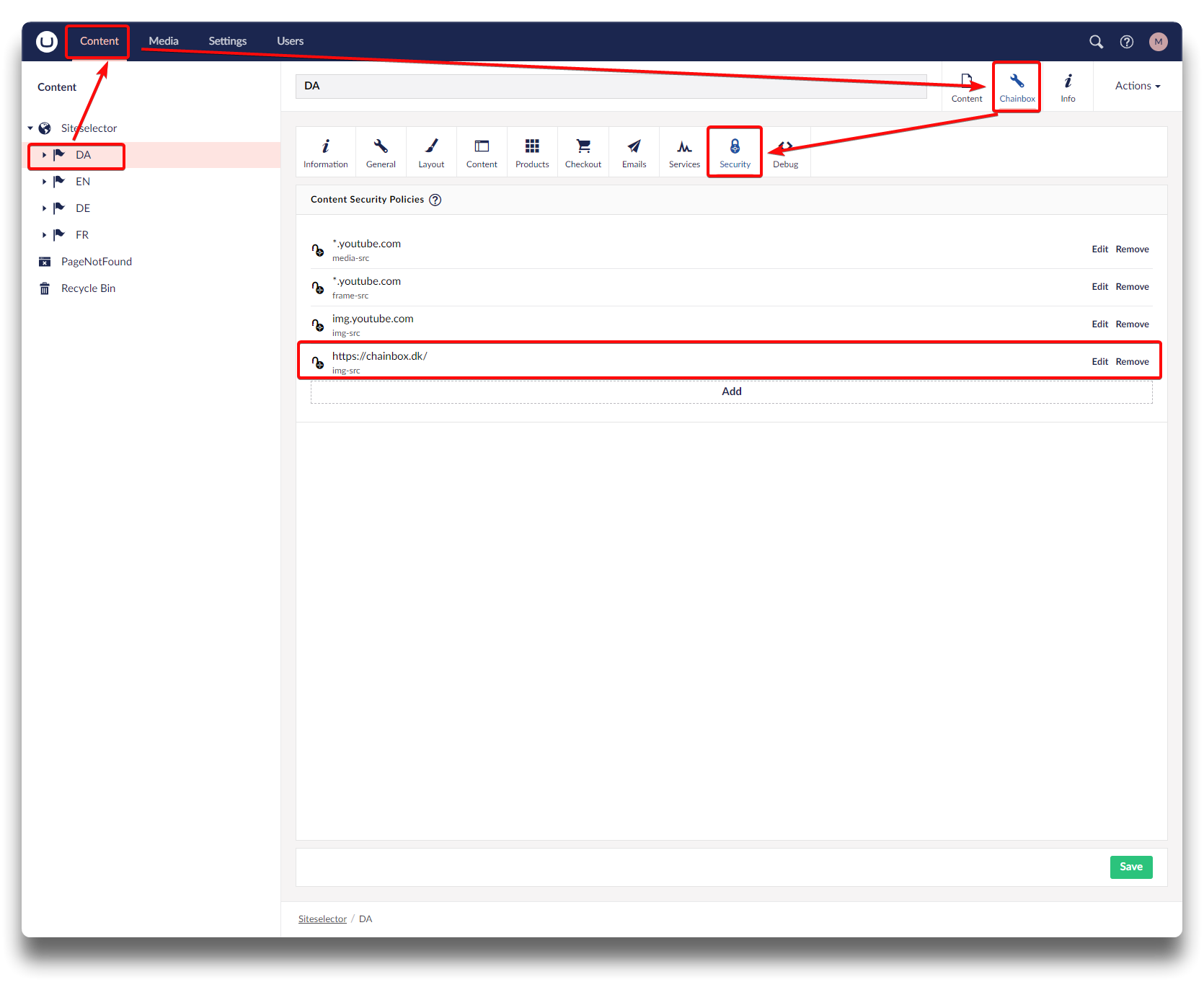
Whitelisting the external site
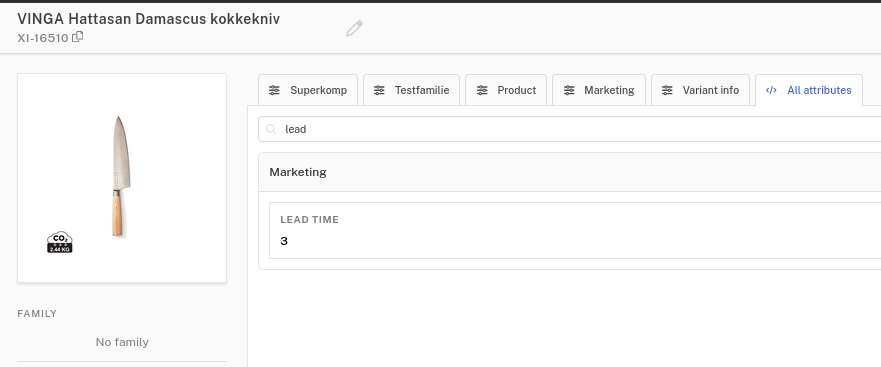
Code: lead-time data-type: integer
The lead-time attribute is not set up by default, but it is fully supported by standard functionality.
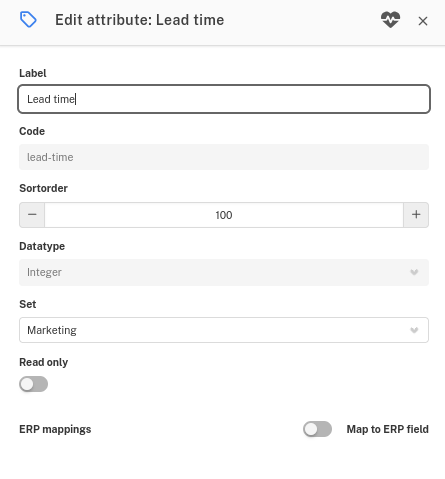
How it Works
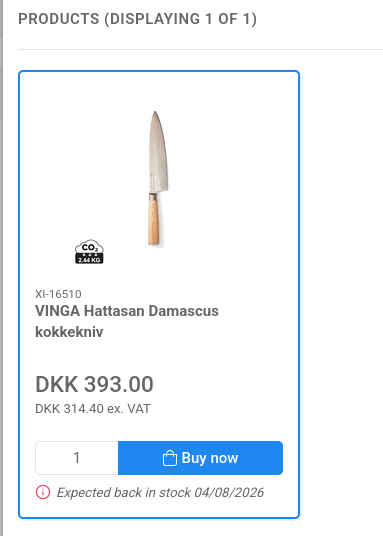
When a product is out of stock, you can use the lead-time attribute to automatically display a restock message to your customers, such as "Expected back in stock: [Date]".
By entering a numerical value into the lead-time attribute, the system calculates the exact restock date taking business days. This means it automatically skips weekends, as well as any specific weekdays you have disabled in your system settings.
Example:
If today is Thursday and you enter a lead-time of 3, the system counts Friday, skips the weekend entirely, and lands on Tuesday. The webshop will then display Tuesday as the expected restock date.
Info
Note: The lead-time calculation will only activate if the product does not have a specific delivery date set, or if the assigned delivery date has already passed.