Product tab
Shows a pre selection of fields related specifically to the product.
Texts
Click the flags to show and hide the language translations of texts.
If a translation of name exists it will overrule the product name for that language node.
Short and long descriptions can be added per language. Use the edit icon to edit long description.
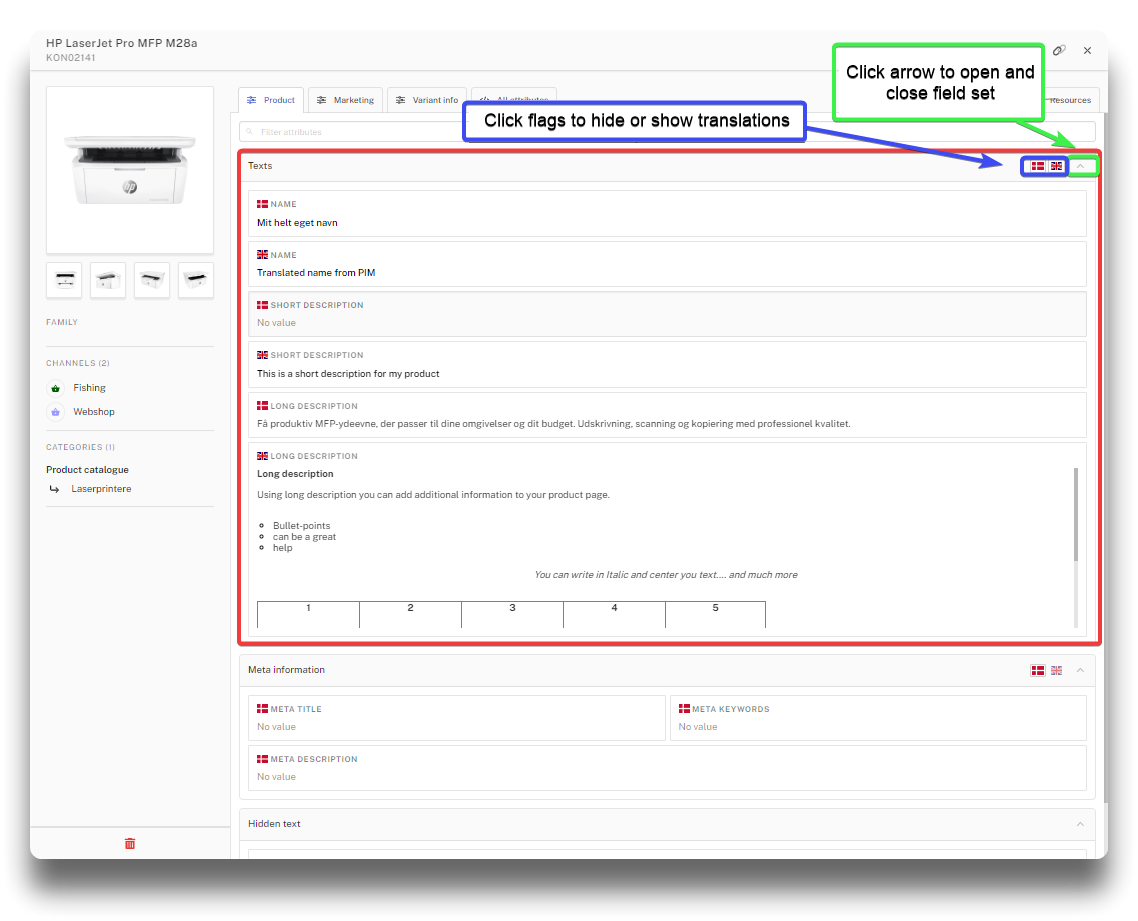
Product translations in PIM
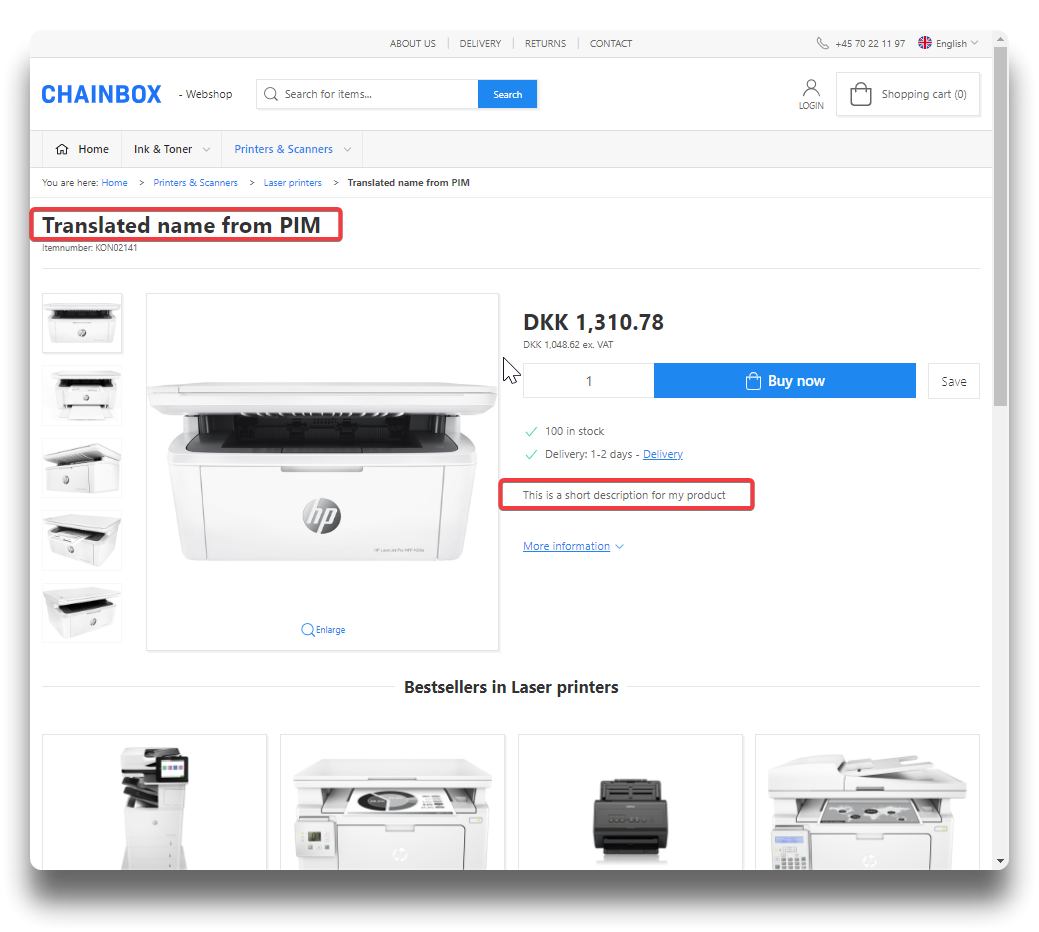
Name and short description on webshop
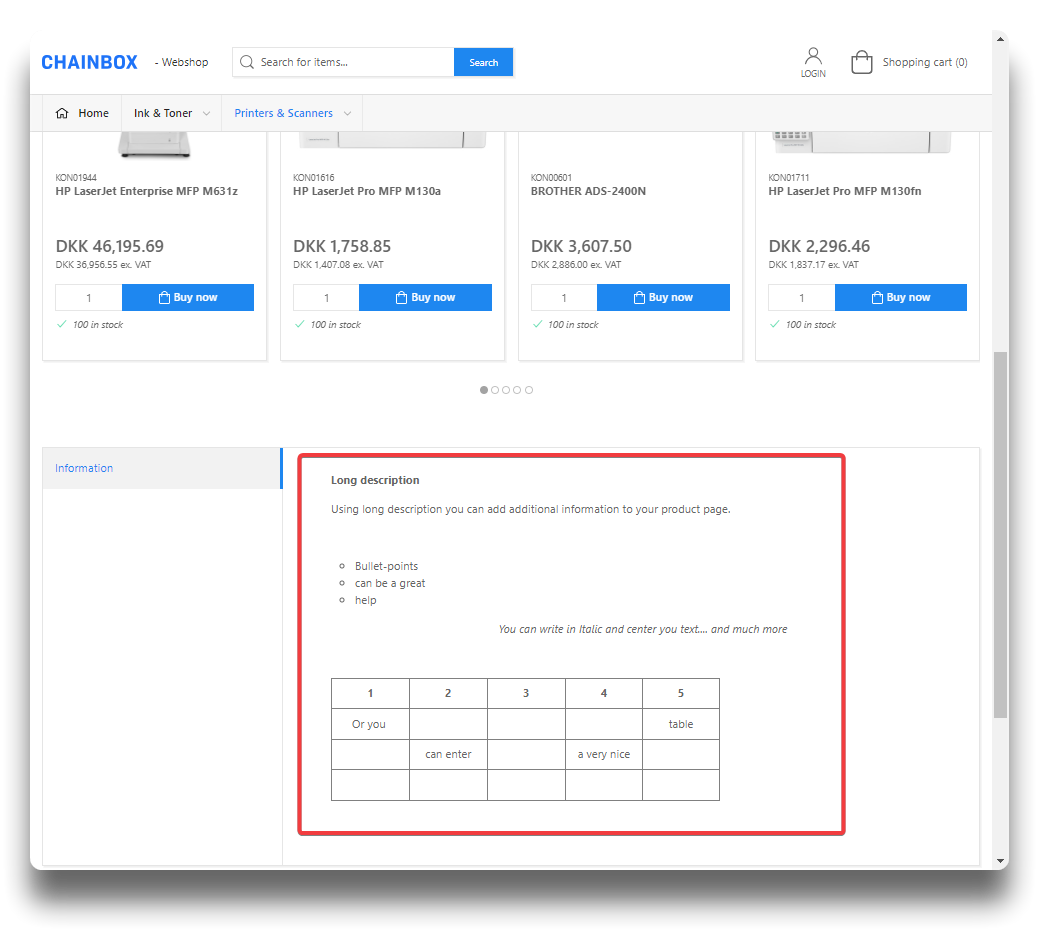
Long description in webshop
Long description
Attention
As of September 2025 it is required to add refferer policy to embed code to avoid error 153. See example below.
Long description offers the most advanced functionality of the text fields in PIM. Besides text, bullet-points or tables, it is possible to add videos, images, links and change directly in the field source code by using the designated icons.
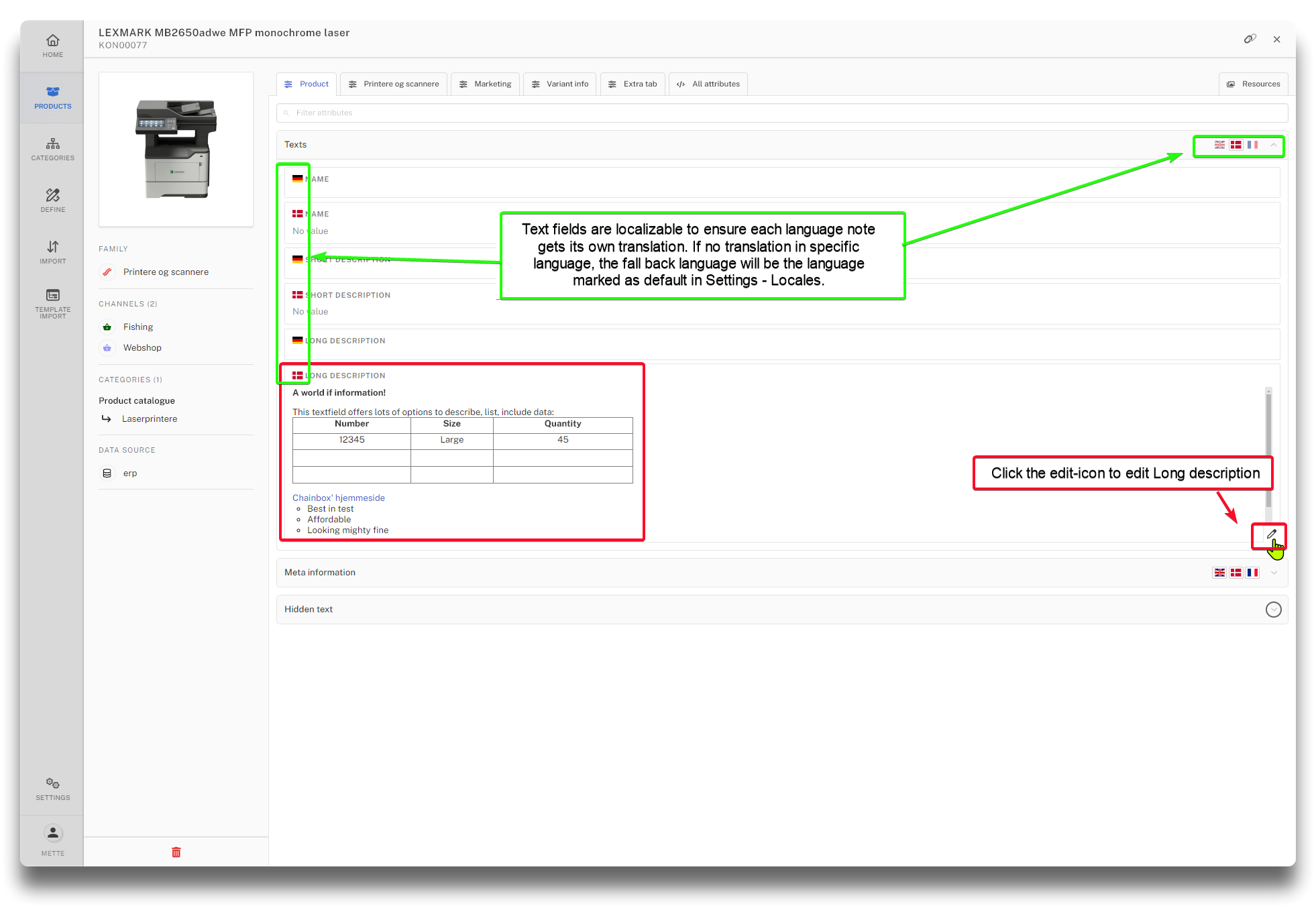
Example of Long description in PIM
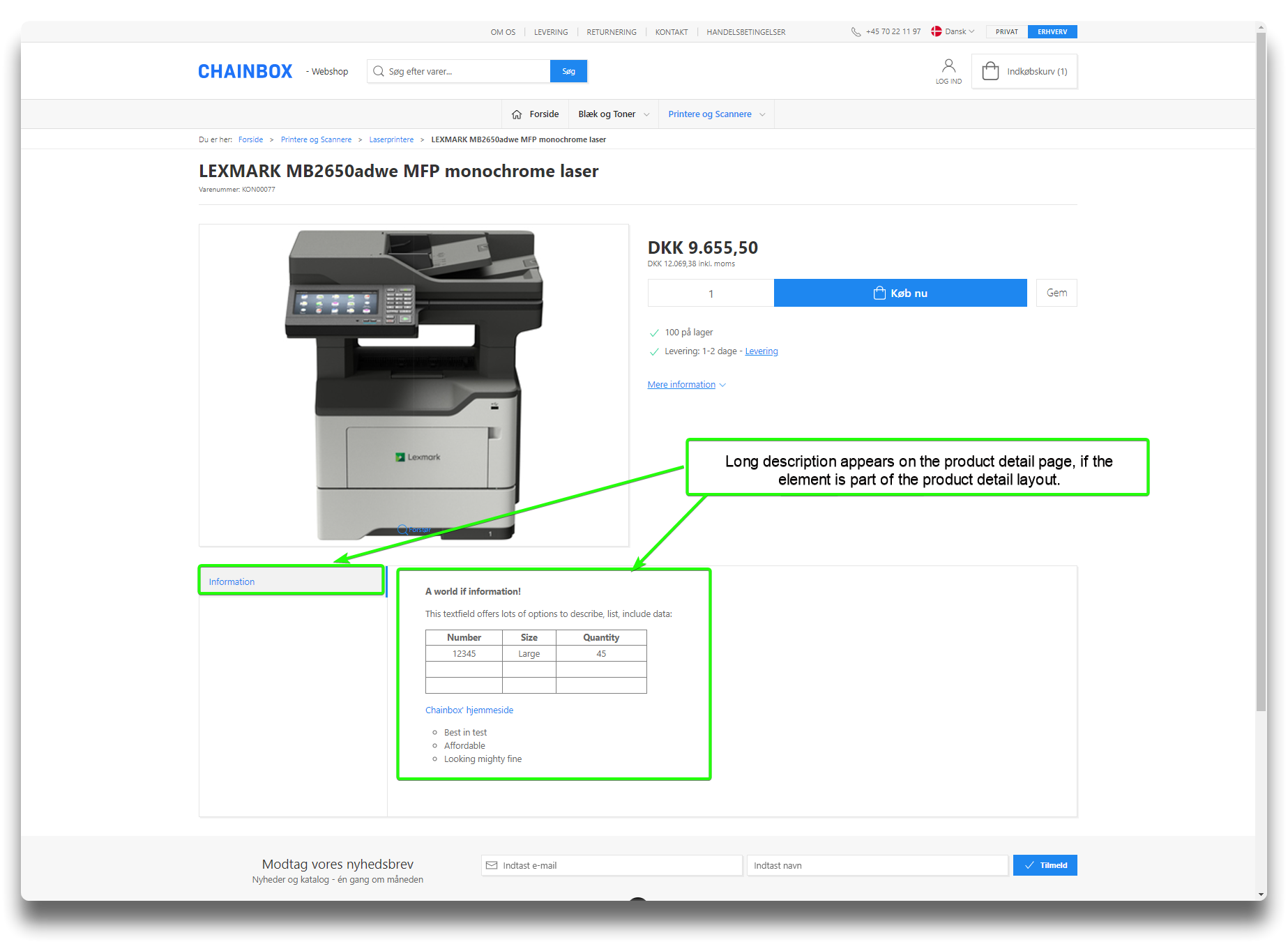
Result on webshop
Adding video in Long description
Video can either be added as general og imbedded. With general it is possible to adjust the width/height of the video.
.png)
Adding a youtube video in long description as General
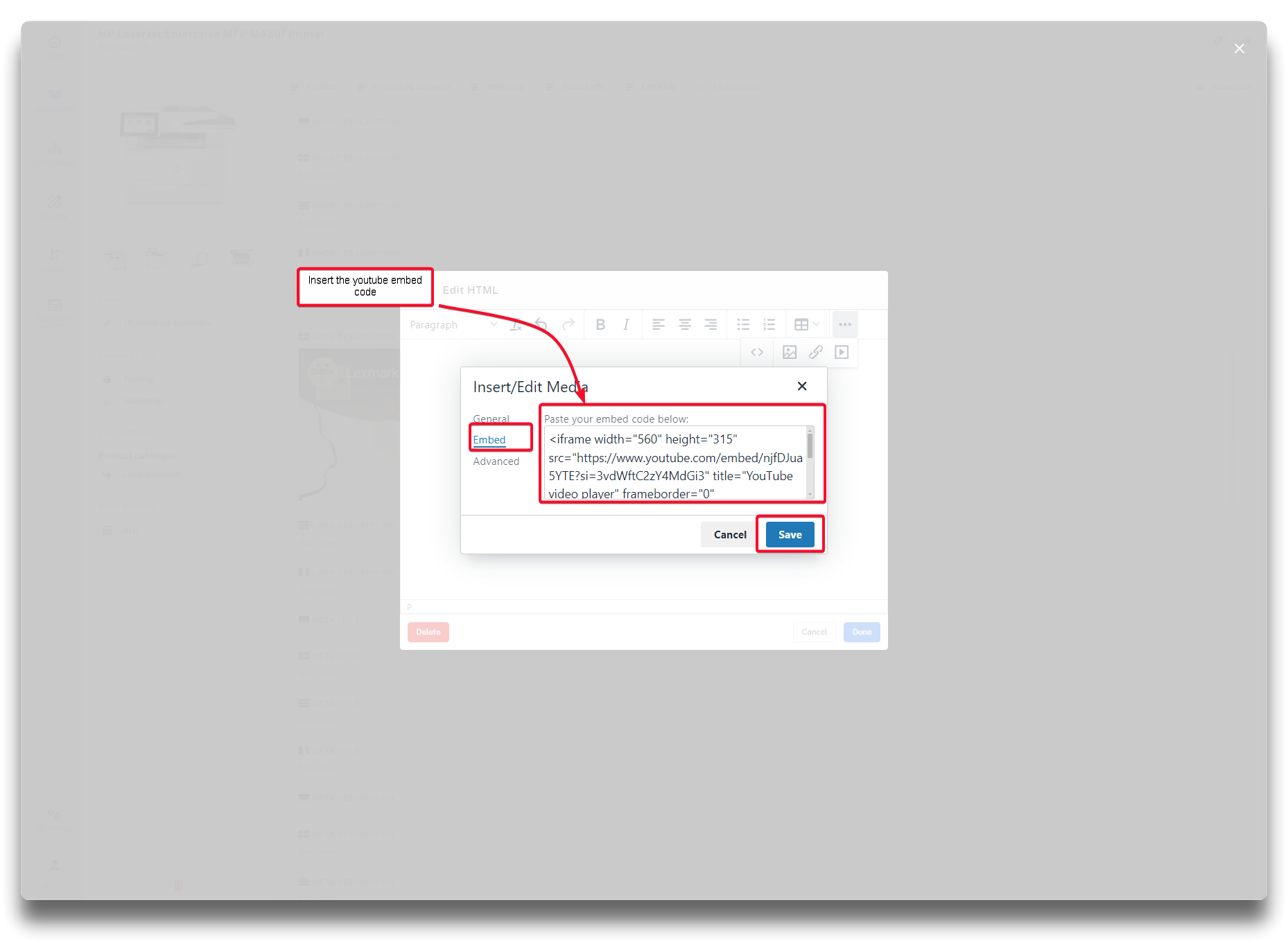
Embedding a youtube video
In adding to a general added video, it is possible to add an image, and an alternative link to the general youtube-link, if needed. The image will show ad loading icon, and the youtube video, is for the odd chance, your video will not upload.
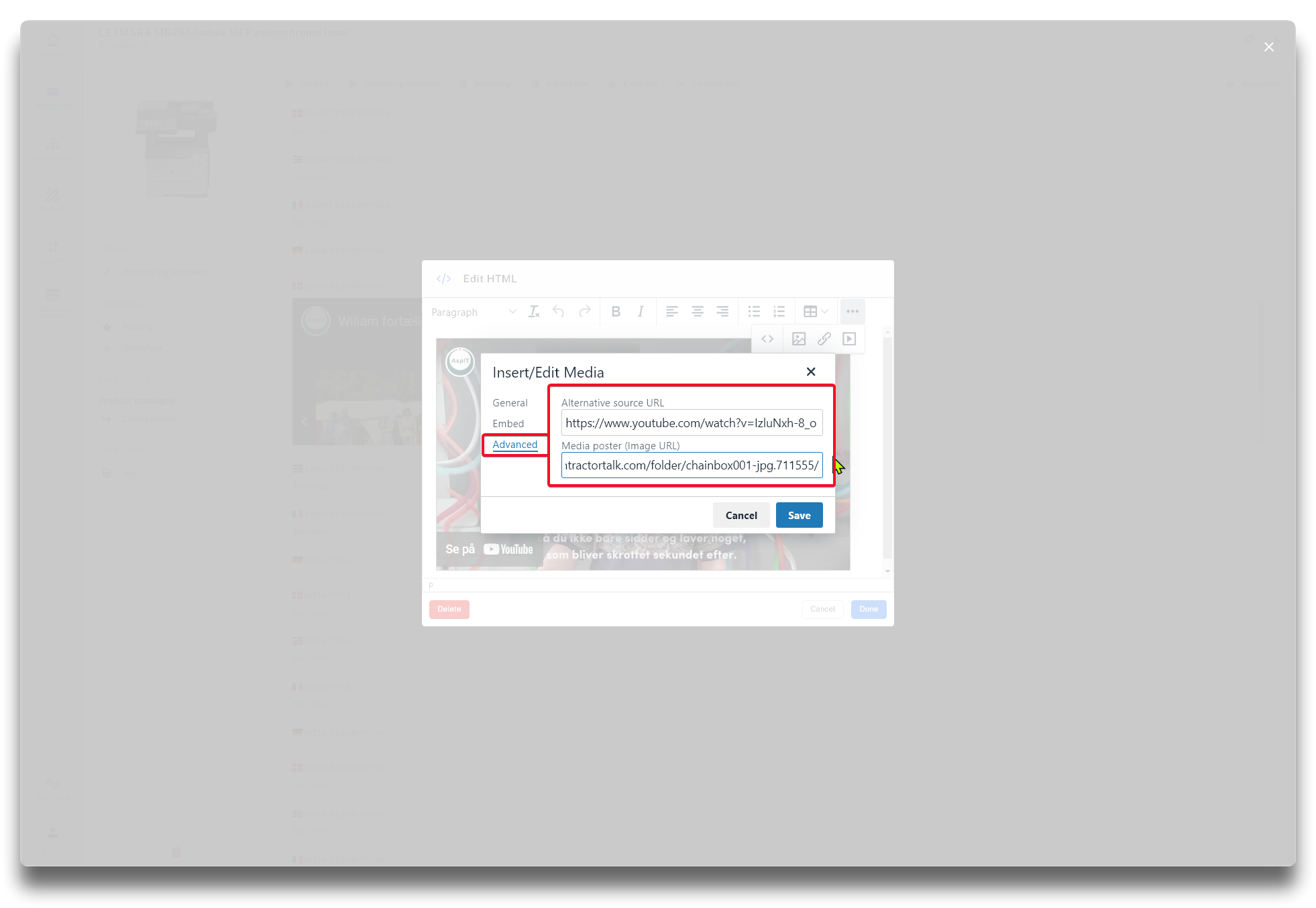
Adding an alternative link + image to general added video.
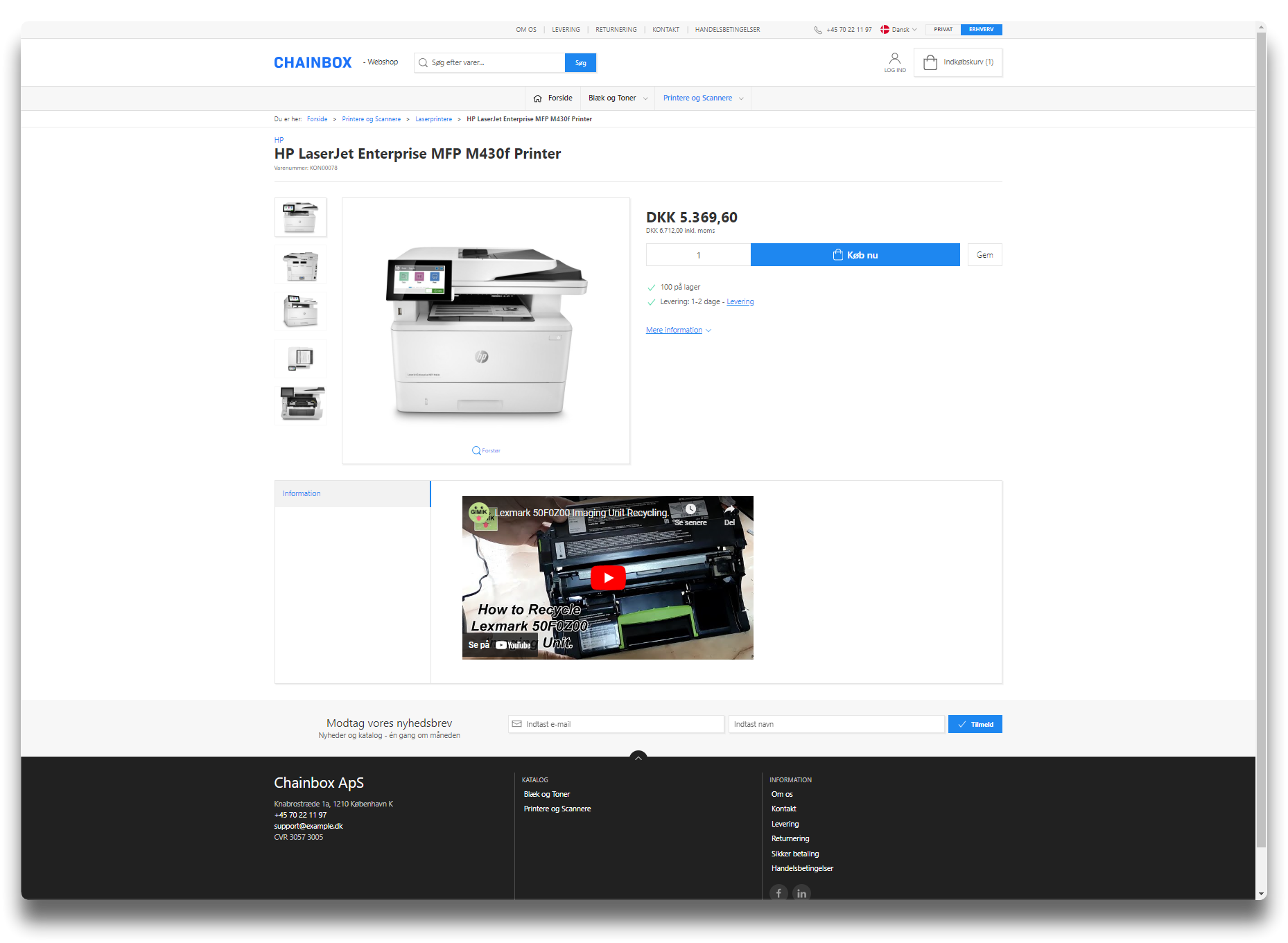
Important: refferer policy required on videos embedded in Long Description
If video displays Error 153 from Youtube, make sure that reffererpolicy is added to the embed code:
referrerpolicy="strict-origin-when-cross-origin"
Example of properly working embed code (November 2025):
<iframe width="560" height="315" referrerpolicy="strict-origin-when-cross-origin" src="https://www.youtube.com/embed/XXX" title="YouTube video player" frameborder="0" allow="accelerometer; autoplay; clipboard-write; encrypted-media; gyroscope; picture-in-picture; web-share" allowfullscreen=""></iframe>
Video is blocked
If the video or image is shown as blocked on the webshop, please check your content security policy settings:
content-security-policy-setup.md
Success
Check out guide on how to translate long descriptions with google! See below link. Scroll down to section: "Translation"
Meta information
Option to enter translated Meta information.
Hidden text
Option to enter a search text for the specific product. Affects searches done in the webshop without the text being visible in the shop.
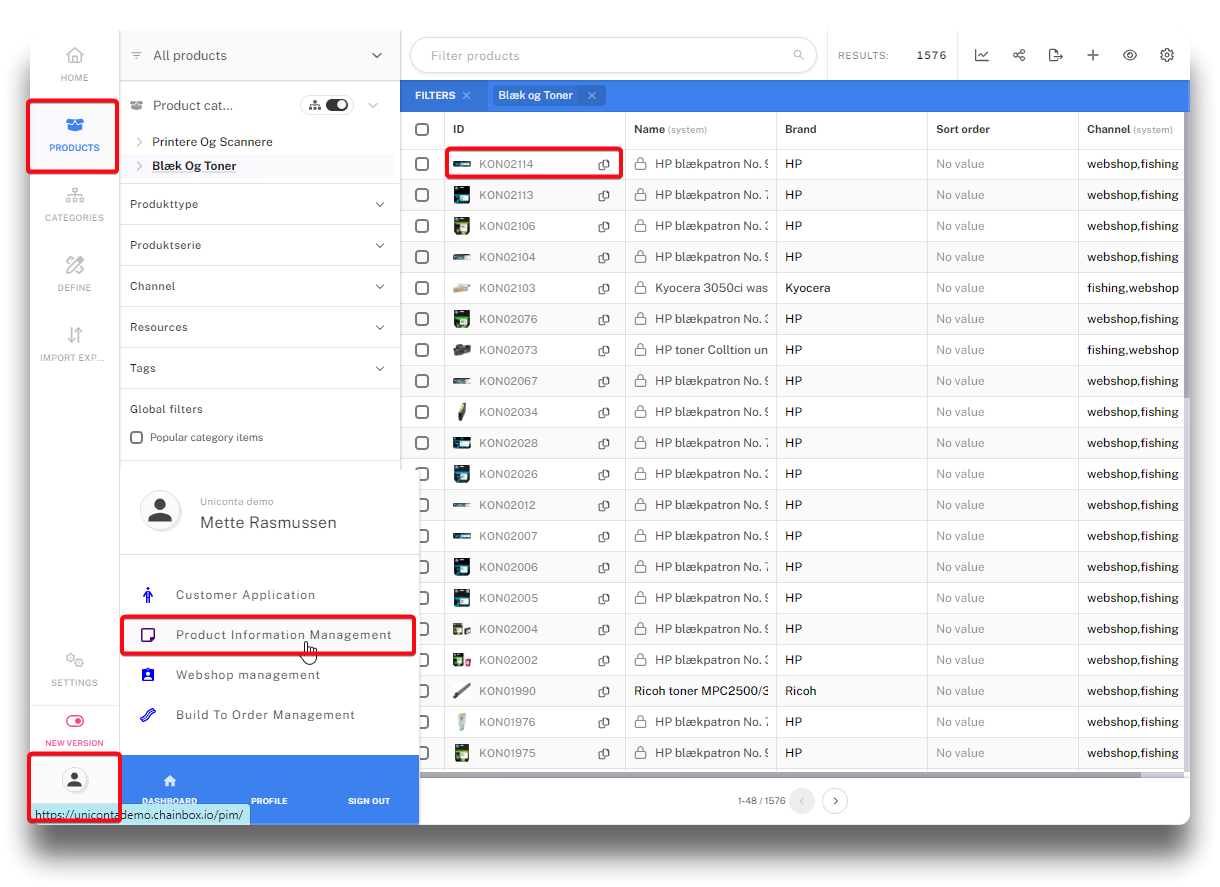
Navigating to product view in PIM
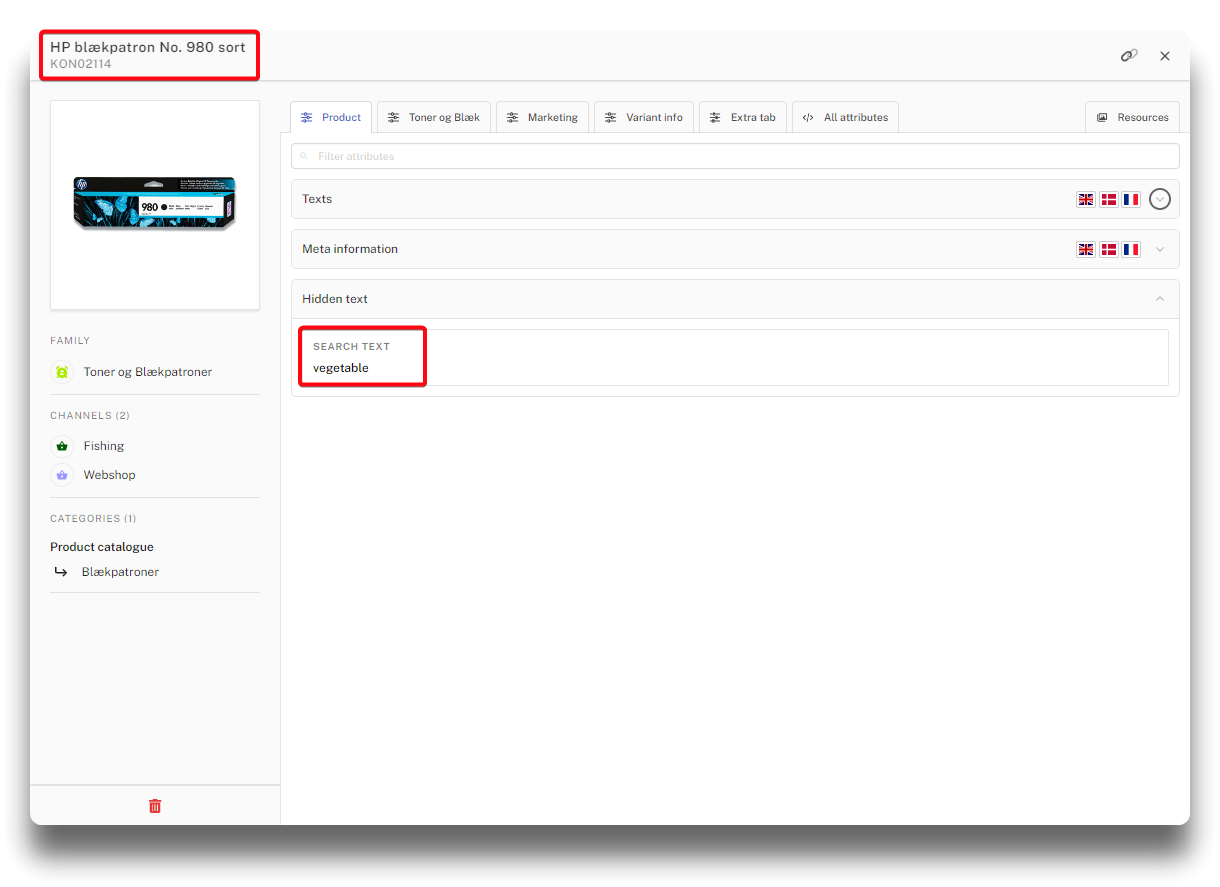
Adding search text to product in PIM
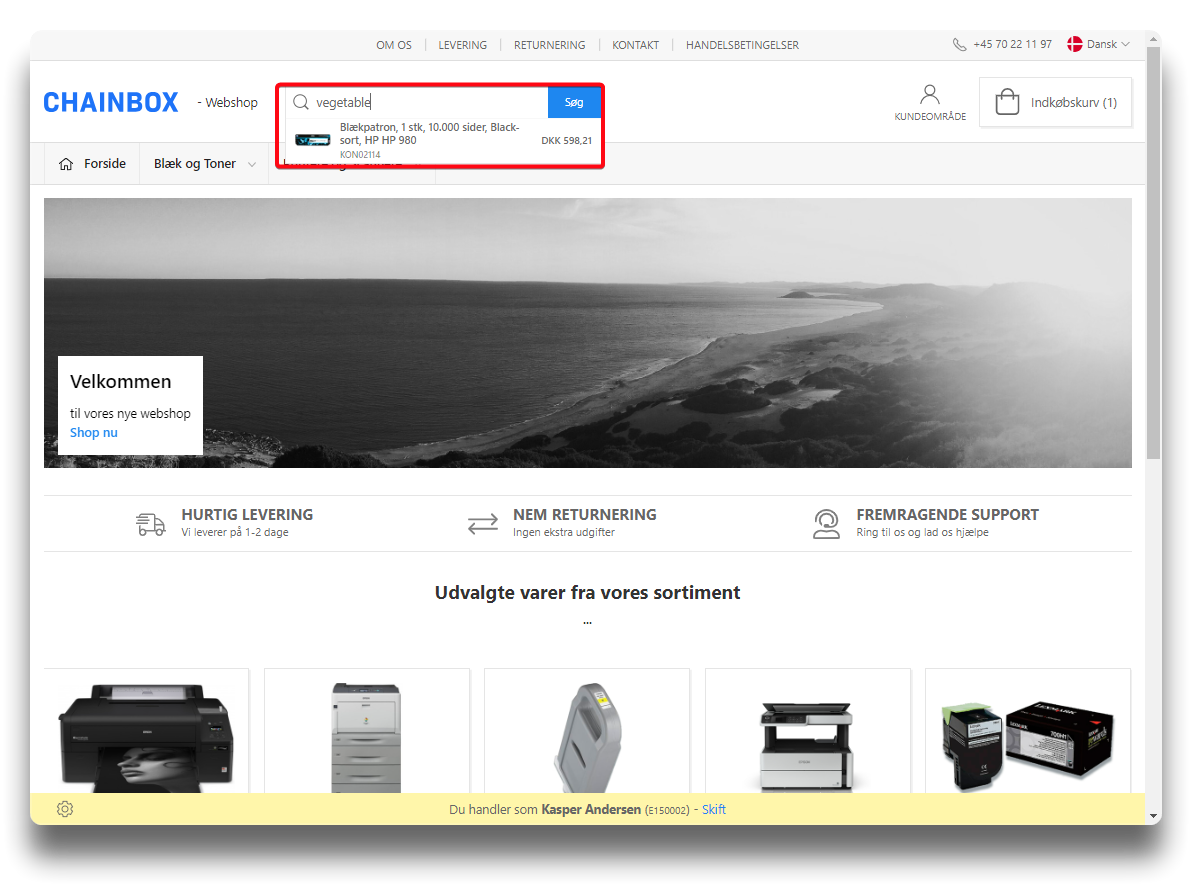
Using search text in webshop
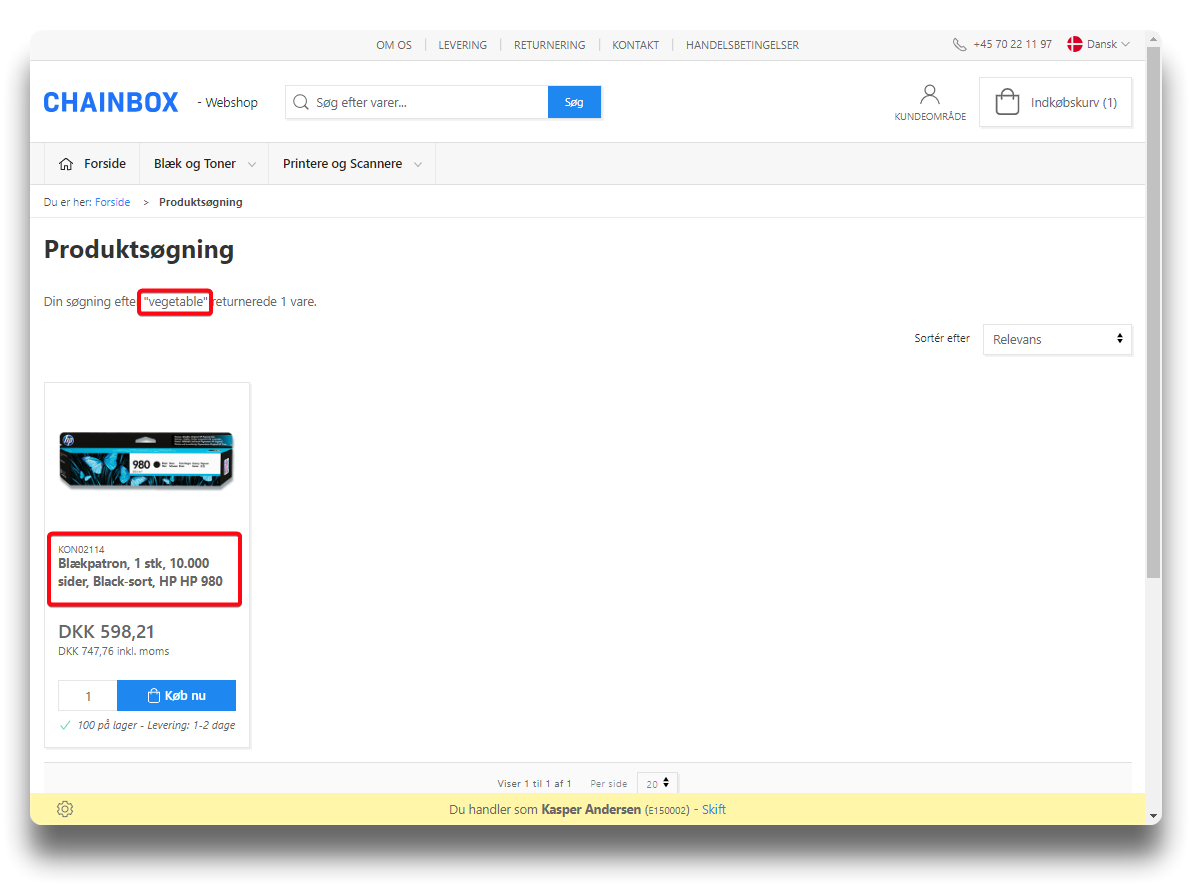
Search result from search text