Keyword search fields
When searching in your view in "Filter products" results are shown from search into fields: ID and Name.
If you wish this search to be expanded to other fields, add these as Keyword search fields.
Click "Edit" and tick field/fields you wish added as keyword search fields. Click "Done" and click "Save" on view settings page to add your selection to your view.
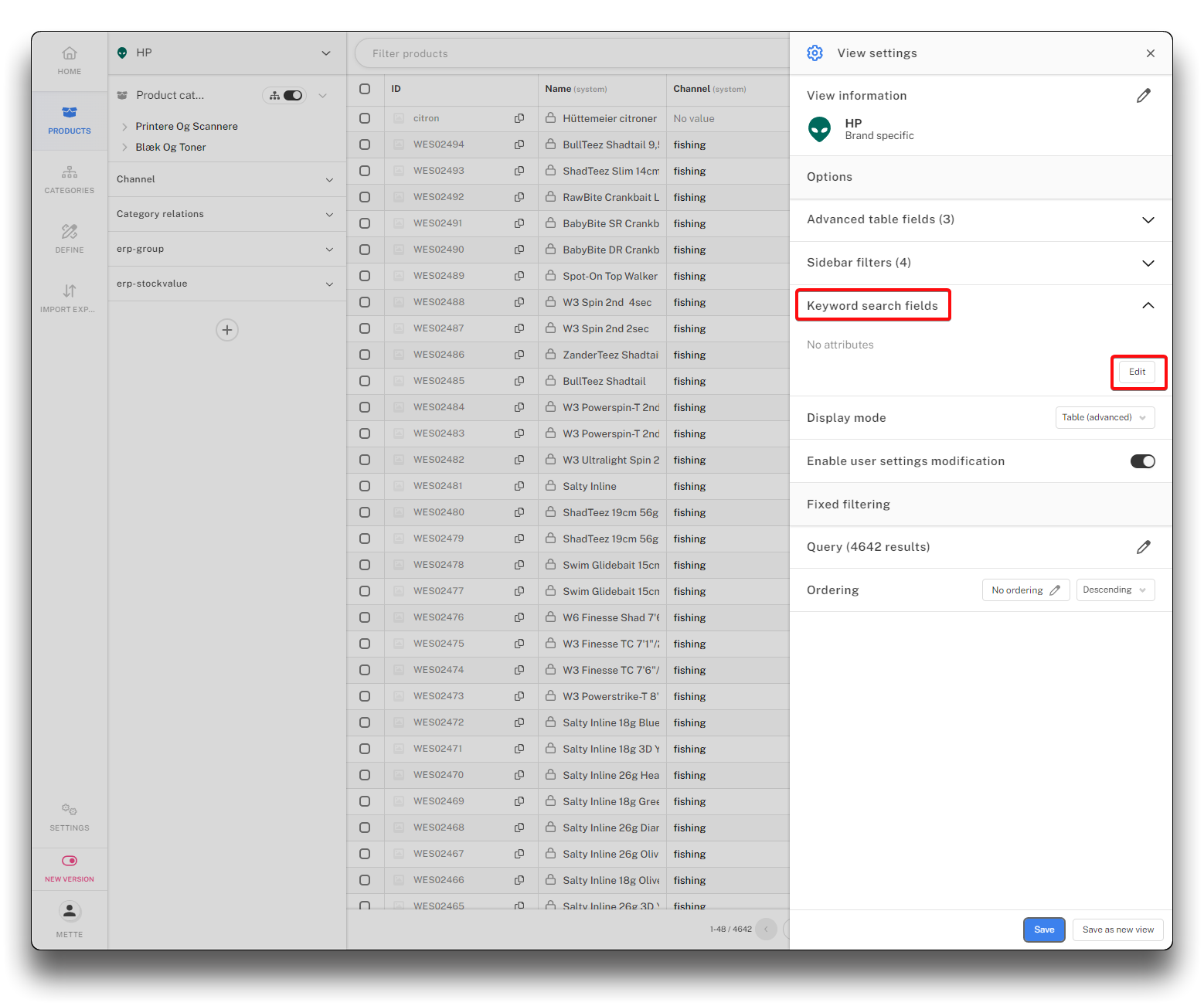
Add keyword search fields - step 1
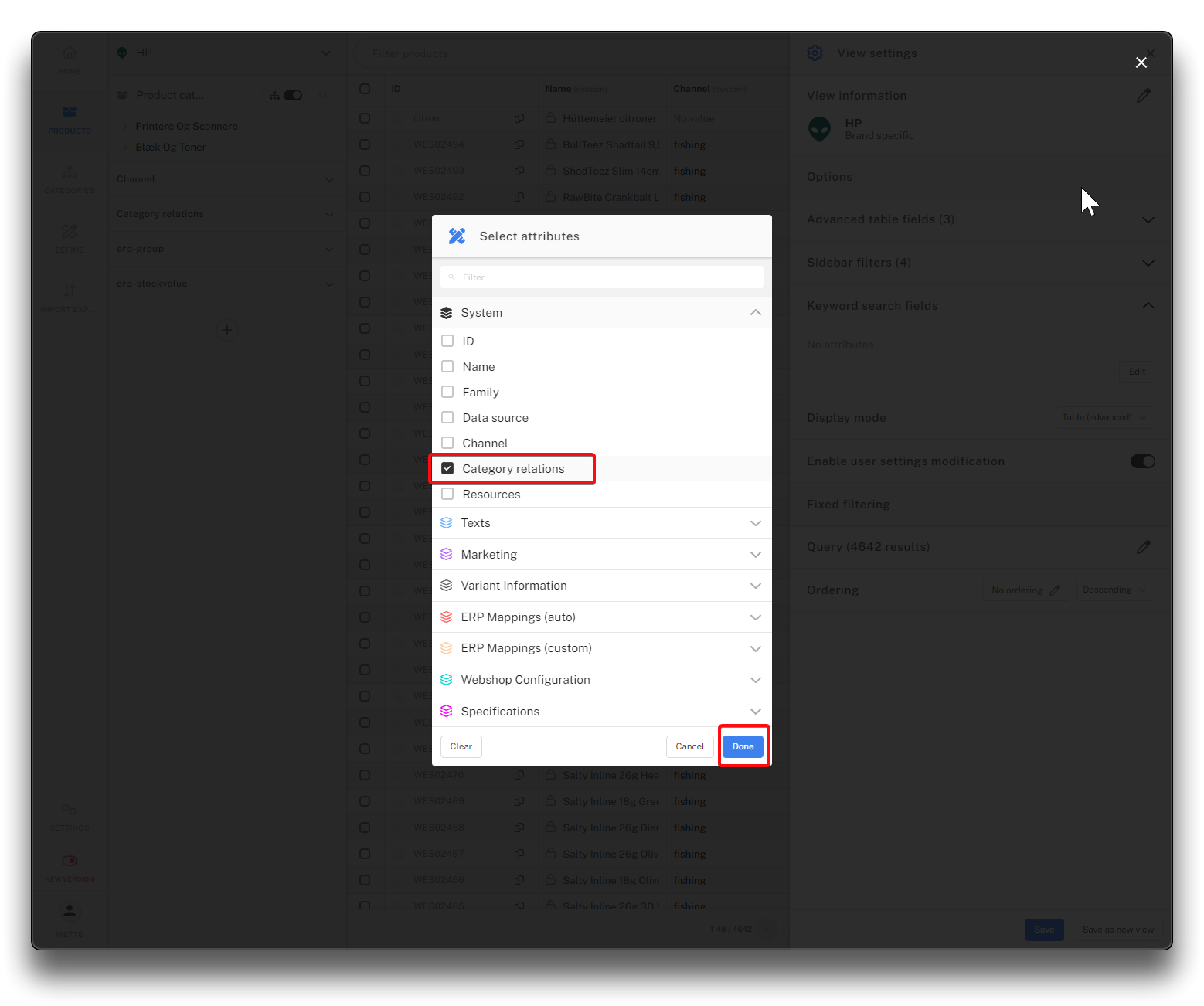
Add keyword search field - step 2
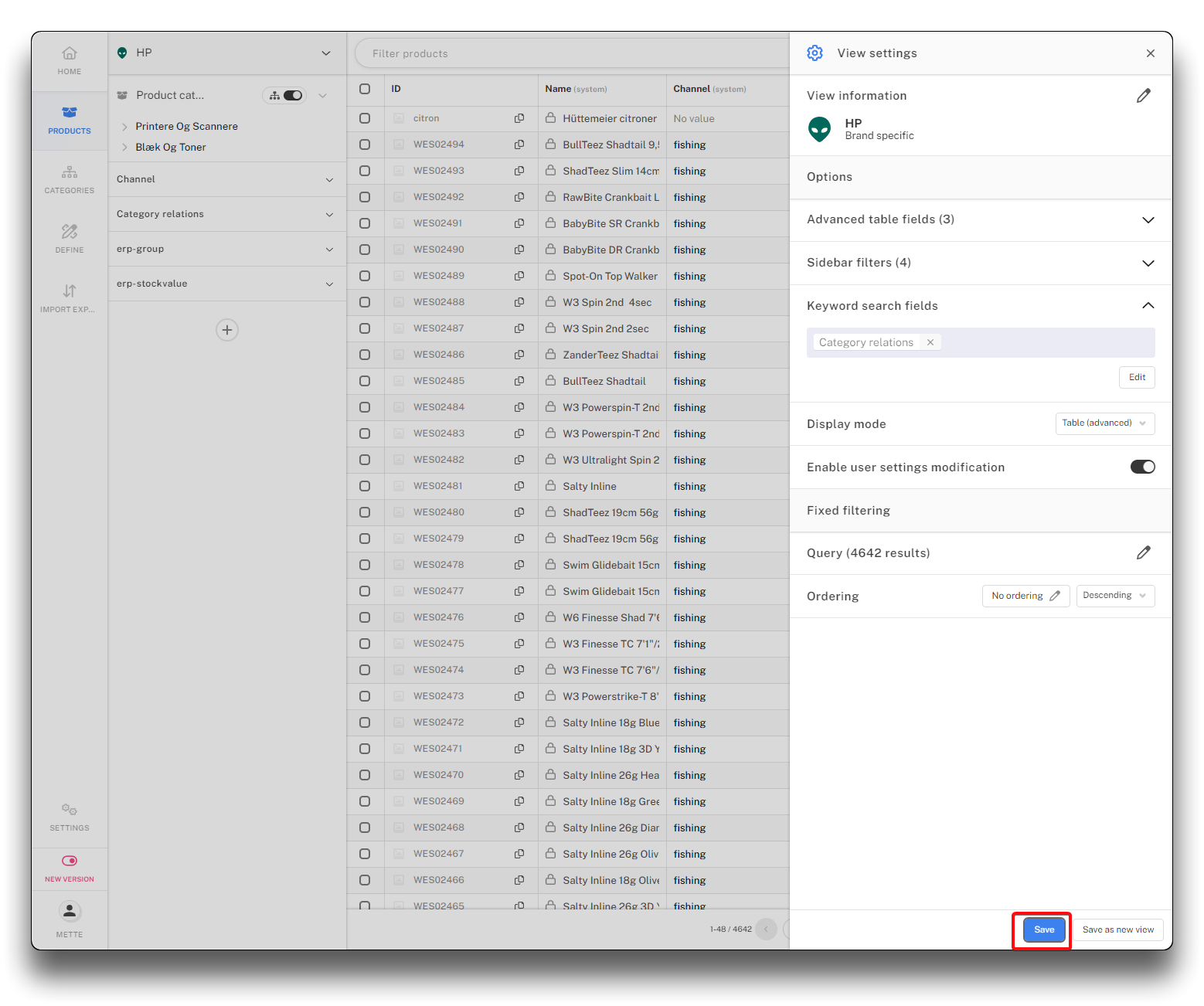
Add keyword search field - step 3
Type your search word in "Filter products". The more specific search, the more precise result. The default searchfields mentioned above will still be active.
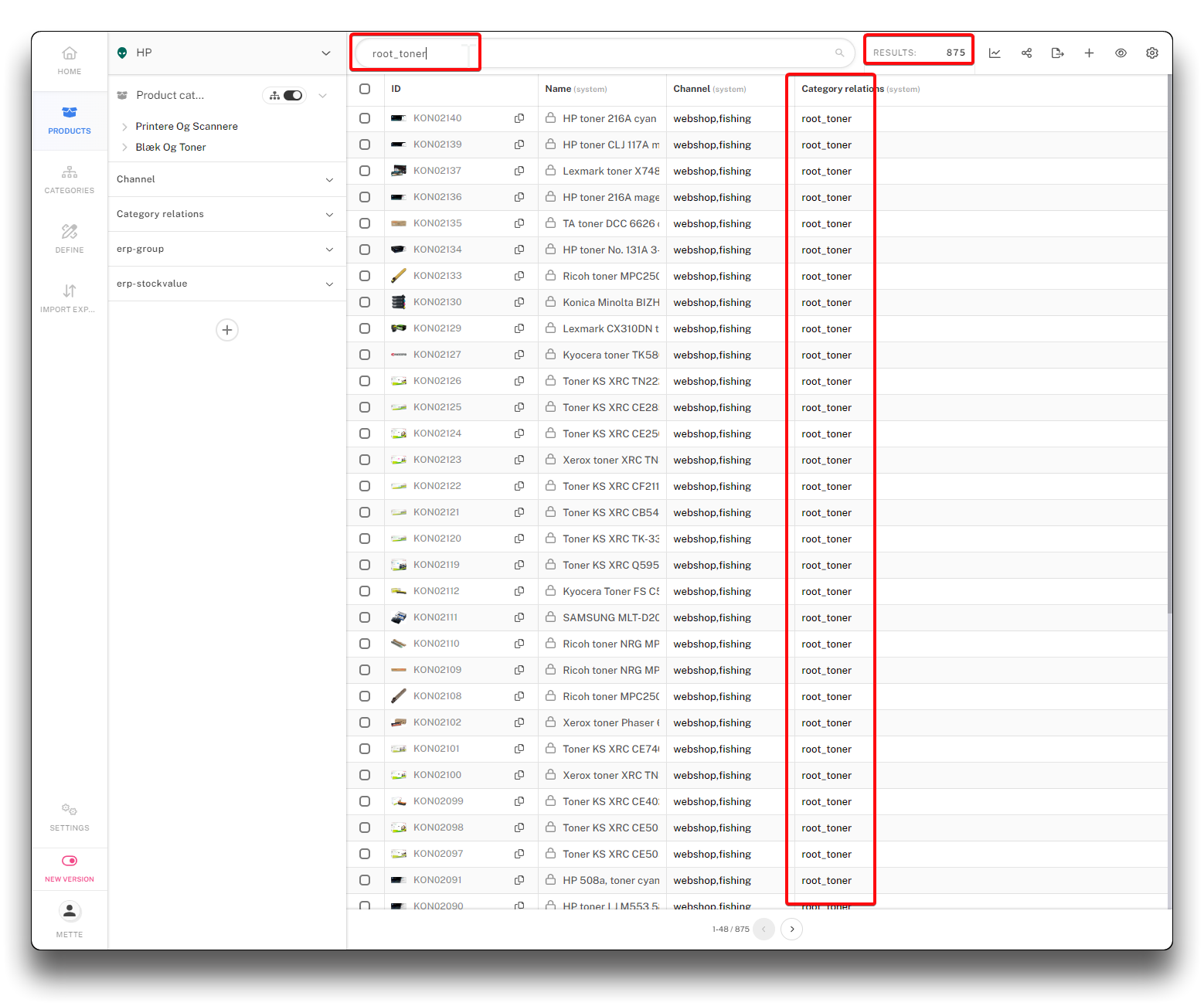
Keyword search for category relations